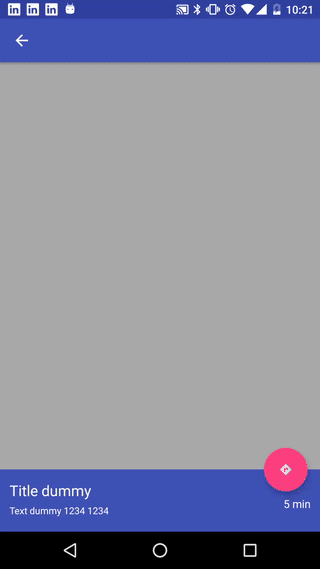
BottomSheetBehavior like Google maps
suggest changeThis example depends on Support Library 23.4.0 or later.
This bottom-sheet behavior has:
- Two toolbars with animations that respond to bottom-sheet movement.
- A FAB that hides when it is near the "modal toolbar" (the one that appears while you slide up).
- A backdrop image behind the bottom sheet, with a parallax effect.
- A title (
TextView) in the toolbar that appears when the bottom sheet reaches it. - A status bar that can switch between a transparent and a solid background.
- A custom bottom-sheet behavior with an "anchor" state.
The pieces, one by one:
Toolbars. In Google Maps, that screen has a search toolbar. This sample keeps that toolbar more generic. The Toolbar sits in an AppBarLayout. It hides when you start dragging the bottom sheet and shows again when the sheet reaches COLLAPSED. To do that:
- create a
Behaviorand extend it fromAppBarLayout.ScrollingViewBehavior - override
layoutDependsOnandonDependentViewChangedso you hear bottom-sheet movement. - create some methods to hide and unhide the AppBarLayout/ToolBar with animations.
This is how I did it for first toolbar or ActionBar:
@Override
public boolean layoutDependsOn(CoordinatorLayout parent, View child, View dependency) {
    return dependency instanceof NestedScrollView;
}

@Override
public boolean onDependentViewChanged(CoordinatorLayout parent, View child,
                                      View dependency) {

    if (mChild == null) {
        initValues(child, dependency);
        return false;
    }

    float dVerticalScroll = dependency.getY() - mPreviousY;
    mPreviousY = dependency.getY();

    //going up
    if (dVerticalScroll <= 0 && !hidden) {
        dismissAppBar(child);
        return true;
    }

    return false;
}

private void initValues(final View child, View dependency) {

    mChild = child;
    mInitialY = child.getY();

    BottomSheetBehaviorGoogleMapsLike bottomSheetBehavior = BottomSheetBehaviorGoogleMapsLike.from(dependency);
    bottomSheetBehavior.addBottomSheetCallback(new BottomSheetBehaviorGoogleMapsLike.BottomSheetCallback() {
        @Override
        public void onStateChanged(@NonNull View bottomSheet, @BottomSheetBehaviorGoogleMapsLike.State int newState) {
            if (newState == BottomSheetBehaviorGoogleMapsLike.STATE_COLLAPSED ||
                    newState == BottomSheetBehaviorGoogleMapsLike.STATE_HIDDEN)
                showAppBar(child);
        }

        @Override
        public void onSlide(@NonNull View bottomSheet, float slideOffset) {

        }
    });
}

private void dismissAppBar(View child){
    hidden = true;
    AppBarLayout appBarLayout = (AppBarLayout)child;
    mToolbarAnimation = appBarLayout.animate().setDuration(mContext.getResources().getInteger(android.R.integer.config_shortAnimTime));
    mToolbarAnimation.y(-(mChild.getHeight()+25)).start();
}

private void showAppBar(View child) {
    hidden = false;
    AppBarLayout appBarLayout = (AppBarLayout)child;
    mToolbarAnimation = appBarLayout.animate().setDuration(mContext.getResources().getInteger(android.R.integer.config_mediumAnimTime));
    mToolbarAnimation.y(mInitialY).start();
}
Here is the complete file if you need it
The second Toolbar or “Modal” toolbar: You have to override the same methods, but in this one you have to take care of more behaviors:
- show/hide the ToolBar with animations
- change status bar color/background
- show/hide the BottomSheet title in the ToolBar
- close the bottomSheet or send it to collapsed state
The code for this toolbar is long, so it lives in MergedAppBarLayoutBehavior.java.
The FAB. This behavior extends FloatingActionButton.Behavior. In onDependentViewChanged, hide the FAB when it reaches the offset you choose. Here that offset is the second toolbar: walk from the FAB's CoordinatorLayout parent to the AppBarLayout that contains the toolbar, and use the toolbar position as offset:
@Override
public boolean onDependentViewChanged(CoordinatorLayout parent, FloatingActionButton child, View dependency) {

    if (offset == 0)
        setOffsetValue(parent);

    if (dependency.getY() <=0)
        return false;

    if (child.getY() <= (offset + child.getHeight()) && child.getVisibility() == View.VISIBLE)
        child.hide();
    else if (child.getY() > offset && child.getVisibility() != View.VISIBLE)
        child.show();

    return false;
}
Complete Custom FAB Behavior link
The image behind the bottom sheet. This is another custom behavior. The part that is easy to get wrong is keeping the image anchored to the sheet so it does not collapse the way the default parallax effect does:
@Override
public boolean onDependentViewChanged(CoordinatorLayout parent, View child,
                                      View dependency) {

    if (mYmultiplier == 0) {
        initValues(child, dependency);
        return true;
    }

    float dVerticalScroll = dependency.getY() - mPreviousY;
    mPreviousY = dependency.getY();

    //going up
    if (dVerticalScroll <= 0 && child.getY() <= 0) {
        child.setY(0);
        return true;
    }

    //going down
    if (dVerticalScroll >= 0 && dependency.getY() <= mImageHeight)
        return false;

    child.setY( (int)(child.getY() + (dVerticalScroll * mYmultiplier) ) );

    return true;
}
The complete file for backdrop image with parallax effect
The custom bottom-sheet behavior. The default BottomSheetBehavior has five states: STATE_DRAGGING, STATE_SETTLING, STATE_EXPANDED, STATE_COLLAPSED, and STATE_HIDDEN. The Google Maps pattern needs a state between collapsed and expanded: STATE_ANCHOR_POINT. Extending BottomSheetBehavior did not work for this sample, so the default class was copied and edited:
- Create a Java class that extends
CoordinatorLayout.Behavior<V>. - Copy the default
BottomSheetBehaviorinto that class. - Change
clampViewPositionVerticalto:
@Override
public int clampViewPositionVertical(View child, int top, int dy) {
    return constrain(top, mMinOffset, mHideable ? mParentHeight : mMaxOffset);
}
int constrain(int amount, int low, int high) {
    return amount < low ? low : (amount > high ? high : amount);
}
- Add a new state.
6does not collide with the five framework state values (1through5):
public static final int STATE_ANCHOR_POINT = 6;
- Change
onLayoutChild,onStopNestedScroll,setState, andfrom. Thefrommethod below returnsBottomSheetBehaviorGoogleMapsLike, notBottomSheetBehavior.
public boolean onLayoutChild(CoordinatorLayout parent, V child, int layoutDirection) {
    // First let the parent lay it out
    if (mState != STATE_DRAGGING && mState != STATE_SETTLING) {
        if (ViewCompat.getFitsSystemWindows(parent) &&
                !ViewCompat.getFitsSystemWindows(child)) {
            ViewCompat.setFitsSystemWindows(child, true);
        }
        parent.onLayoutChild(child, layoutDirection);
    }
    // Offset the bottom sheet
    mParentHeight = parent.getHeight();
    mMinOffset = Math.max(0, mParentHeight - child.getHeight());
    mMaxOffset = Math.max(mParentHeight - mPeekHeight, mMinOffset);

    //if (mState == STATE_EXPANDED) {
    //    ViewCompat.offsetTopAndBottom(child, mMinOffset);
    //} else if (mHideable && mState == STATE_HIDDEN...
    if (mState == STATE_ANCHOR_POINT) {
        ViewCompat.offsetTopAndBottom(child, mAnchorPoint);
    } else if (mState == STATE_EXPANDED) {
        ViewCompat.offsetTopAndBottom(child, mMinOffset);
    } else if (mHideable && mState == STATE_HIDDEN) {
        ViewCompat.offsetTopAndBottom(child, mParentHeight);
    } else if (mState == STATE_COLLAPSED) {
        ViewCompat.offsetTopAndBottom(child, mMaxOffset);
    }
    if (mViewDragHelper == null) {
        mViewDragHelper = ViewDragHelper.create(parent, mDragCallback);
    }
    mViewRef = new WeakReference<>(child);
    mNestedScrollingChildRef = new WeakReference<>(findScrollingChild(child));
    return true;
}
public void onStopNestedScroll(CoordinatorLayout coordinatorLayout, V child, View target) {
    if (child.getTop() == mMinOffset) {
        setStateInternal(STATE_EXPANDED);
        return;
    }
    if (target != mNestedScrollingChildRef.get() || !mNestedScrolled) {
        return;
    }
    int top;
    int targetState;
    if (mLastNestedScrollDy > 0) {
        //top = mMinOffset;
        //targetState = STATE_EXPANDED;
        int currentTop = child.getTop();
        if (currentTop > mAnchorPoint) {
            top = mAnchorPoint;
            targetState = STATE_ANCHOR_POINT;
        }
        else {
            top = mMinOffset;
            targetState = STATE_EXPANDED;
        }
    } else if (mHideable && shouldHide(child, getYVelocity())) {
        top = mParentHeight;
        targetState = STATE_HIDDEN;
    } else if (mLastNestedScrollDy == 0) {
        int currentTop = child.getTop();
        if (Math.abs(currentTop - mMinOffset) < Math.abs(currentTop - mMaxOffset)) {
            top = mMinOffset;
            targetState = STATE_EXPANDED;
        } else {
            top = mMaxOffset;
            targetState = STATE_COLLAPSED;
        }
    } else {
        //top = mMaxOffset;
        //targetState = STATE_COLLAPSED;
        int currentTop = child.getTop();
        if (currentTop > mAnchorPoint) {
            top = mMaxOffset;
            targetState = STATE_COLLAPSED;
        }
        else {
            top = mAnchorPoint;
            targetState = STATE_ANCHOR_POINT;
        }
    }
    if (mViewDragHelper.smoothSlideViewTo(child, child.getLeft(), top)) {
        setStateInternal(STATE_SETTLING);
        ViewCompat.postOnAnimation(child, new SettleRunnable(child, targetState));
    } else {
        setStateInternal(targetState);
    }
    mNestedScrolled = false;
}

public final void setState(@State int state) {
    if (state == mState) {
        return;
    }
    if (mViewRef == null) {
        // The view is not laid out yet; modify mState and let onLayoutChild handle it later
        /**
         * New behavior (added: state == STATE_ANCHOR_POINT ||)
         */
        if (state == STATE_COLLAPSED || state == STATE_EXPANDED ||
                state == STATE_ANCHOR_POINT ||
                (mHideable && state == STATE_HIDDEN)) {
            mState = state;
        }
        return;
    }
    V child = mViewRef.get();
    if (child == null) {
        return;
    }
    int top;
    if (state == STATE_COLLAPSED) {
        top = mMaxOffset;
    } else if (state == STATE_ANCHOR_POINT) {
        top = mAnchorPoint;
    } else if (state == STATE_EXPANDED) {
        top = mMinOffset;
    } else if (mHideable && state == STATE_HIDDEN) {
        top = mParentHeight;
    } else {
        throw new IllegalArgumentException("Illegal state argument: " + state);
    }
    setStateInternal(STATE_SETTLING);
    if (mViewDragHelper.smoothSlideViewTo(child, child.getLeft(), top)) {
        ViewCompat.postOnAnimation(child, new SettleRunnable(child, state));
    }
}
public static <V extends View> BottomSheetBehaviorGoogleMapsLike<V> from(V view) {
    ViewGroup.LayoutParams params = view.getLayoutParams();
    if (!(params instanceof CoordinatorLayout.LayoutParams)) {
        throw new IllegalArgumentException("The view is not a child of CoordinatorLayout");
    }
    CoordinatorLayout.Behavior behavior = ((CoordinatorLayout.LayoutParams) params)
            .getBehavior();
    if (!(behavior instanceof BottomSheetBehaviorGoogleMapsLike)) {
        throw new IllegalArgumentException(
                "The view is not associated with BottomSheetBehaviorGoogleMapsLike");
    }
    return (BottomSheetBehaviorGoogleMapsLike<V>) behavior;
}
Link to the whole project where you can see all the Custom Behaviors
The result looks like this: