Capturing Screenshot via Android Studio
suggest change-
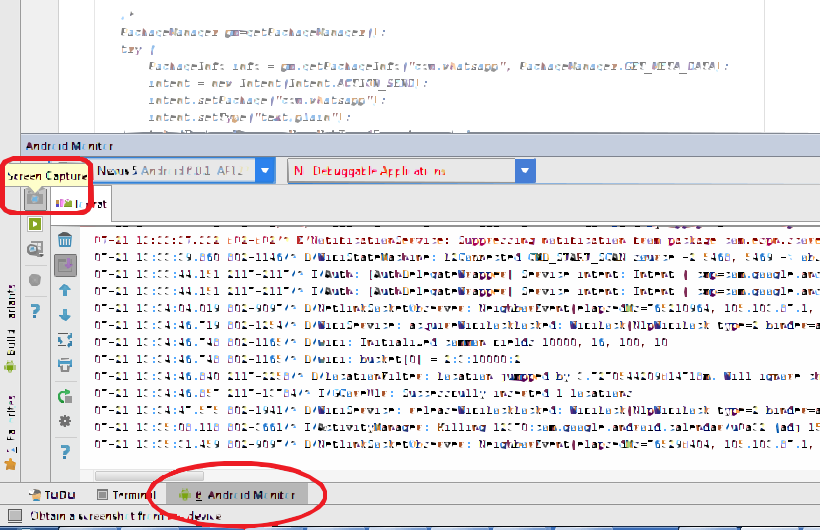
Open the Android Monitor tab.
-
Click the screen-capture button.
Found a mistake? Have a question or improvement idea?
Let me know.
Table Of Contents
Open the Android Monitor tab.
Click the screen-capture button.