Create filters configuration
suggest changeCustom filters can be set and saved from the UI. In the Android Monitor tab, open the dropdown on the right. It shows Show only selected application or No Filters. Choose Edit Filter Configuration.
Enter the filter you want
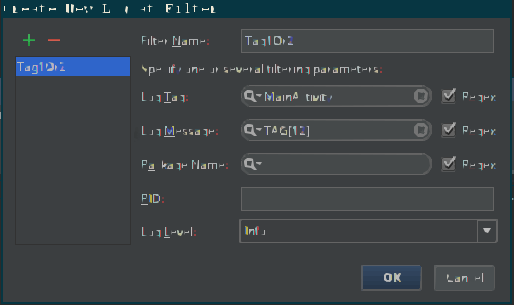
Select that saved filter from the same dropdown.

Important: Text in the filter bar is combined with the saved filter. Android Studio applies both.
With both input and filter there is no output

Without the saved filter, some lines are shown.

Found a mistake? Have a question or improvement idea?
Let me know.
Table Of Contents