FrameLayout
suggest changeFrameLayout is designed to block out an area on the screen to display a single item. You can, however, add multiple children to a FrameLayout and control their position within the FrameLayout by assigning gravity to each child, using the android:layout_gravity attribute.
Generally, FrameLayout holds a single child view. Common uses are a placeholder for a Fragment, overlapping views, and a foreground on those views.
Example:
<FrameLayout xmlns:android="http://schemas.android.com/apk/res/android"
android:layout_width="match_parent"
android:layout_height="match_parent">

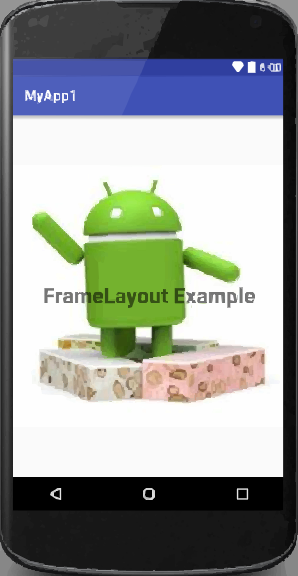
    <ImageView
        android:src="@drawable/nougat"
        android:scaleType="fitCenter"
        android:layout_height="match_parent"
        android:layout_width="match_parent"/>

    <TextView
        android:text="FrameLayout Example"
        android:textSize="30sp"
        android:textStyle="bold"
        android:layout_height="match_parent"
        android:layout_width="match_parent"
        android:gravity="center"/>

</FrameLayout>
It will look like this:
Found a mistake? Have a question or improvement idea?
Let me know.
Table Of Contents