Publish .aar file to Maven
suggest changeIn order to publish to a repository in Maven format, the “maven-publish” plugin for Gradle can be used.
The plugin should be added to build.gradle file in library module.
apply plugin: 'maven-publish'
You should define the publication and its identity attributes in the build.gradle file too. These identity attributes will be shown in the generated POM file, and you will use them later to import this publication. You also need to define which artifacts you want to publish. For example, I just want to publish the generated .aar file after building the library.
publishing {
    publications {
        myPublication(MavenPublication) {
            groupId 'com.example.project'
            version '1.0.2'
            artifactId 'myProject'
            artifact("$buildDir/outputs/aar/myProject.aar")
        }
    }
}
You will also need to define your repository url
publishing{
    repositories {
        maven {
            url "http://www.myrepository.com"
        }
    }
}
Here is full library build.gradle file
apply plugin: 'com.android.library'
apply plugin: 'maven-publish'

buildscript {
   ...
}
android {
    ...
}
publishing {
    publications {
        myPublication(MavenPublication) {
            groupId 'com.example.project'
            version '1.0.2'
            artifactId 'myProject'
            artifact("$buildDir/outputs/aar/myProject.aar")
        }
    }
    repositories {
        maven {
            url "http://www.myrepository.com"
        }
    }
}
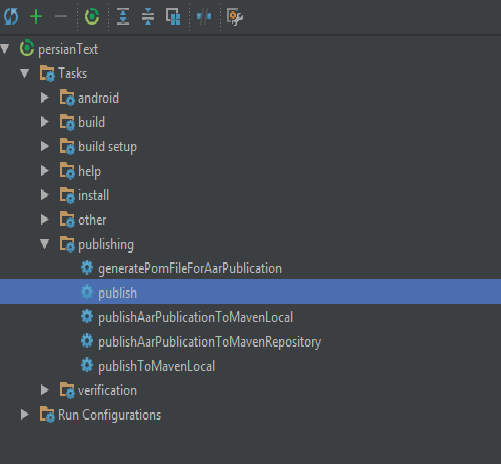
For publishing you can run gradle console command
gradle publish
or you can run from gradle tasks panel
Found a mistake? Have a question or improvement idea?
Let me know.
Table Of Contents