Sign your App
suggest change- In the menu bar, click Build > Generate Signed APK.
- Select the module you would like to release from the drop down and click Next.
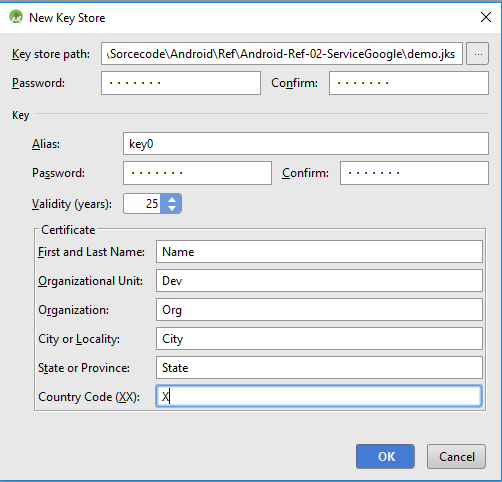
- To create a new keystore, click Create new. Fill in the required information and press OK in New Key Store.
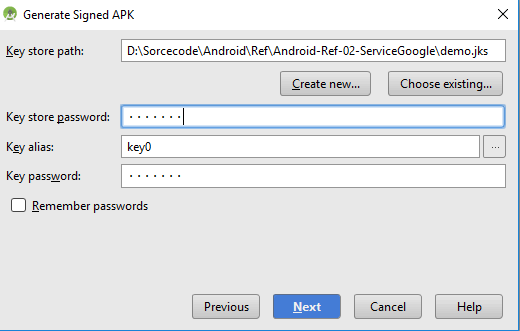
- On the Generate Signed APK Wizard, the fields are already populated if you just created a new keystore. Otherwise, fill the fields and click Next.
- On the next window, select a destination for the signed APK, select the build type and click finish.
Found a mistake? Have a question or improvement idea?
Let me know.
Table Of Contents