View And Add Shortcuts in Android Studio
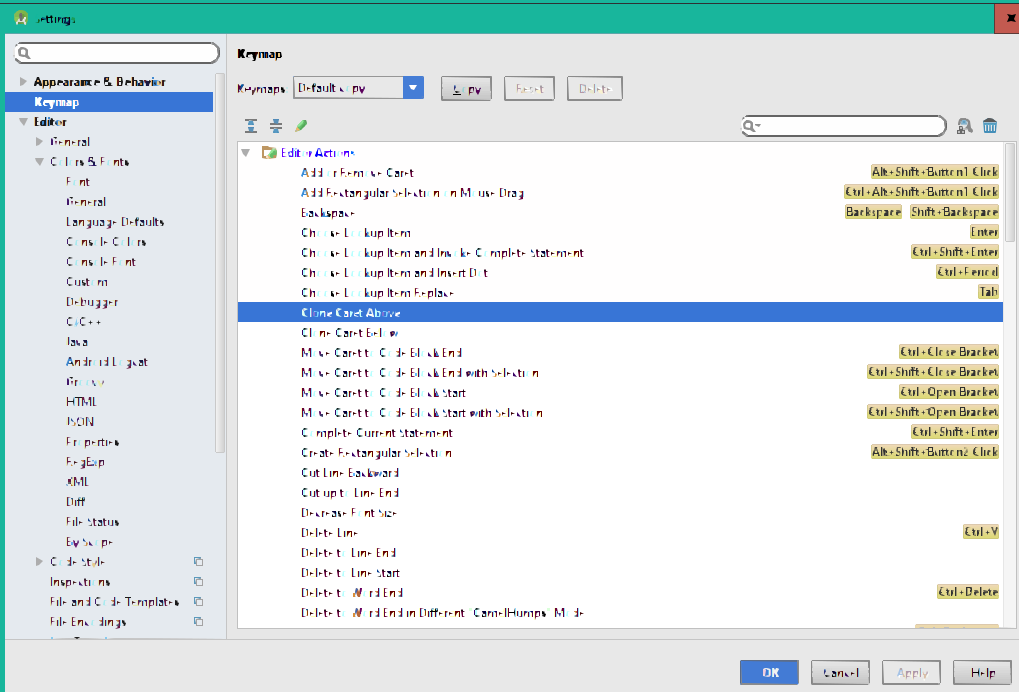
suggest changeOpen Settings > Keymap. A window will pop up showing all the Editor Actions with their names and shortcuts. Some of the Editor Actions do not have shortcuts. Right-click one and add a shortcut.
Check the image below
Found a mistake? Have a question or improvement idea?
Let me know.
Table Of Contents