Compiling with Visual Studio Graphical Interface - Hello World
suggest change-
Download and install latest Visual Studio Community
-
Open Visual Studio Community
-
Click File -> New -> Project

-
Click Templates -> Visual C++ -> Win32 Console Application and then name the project MyFirstProgram.
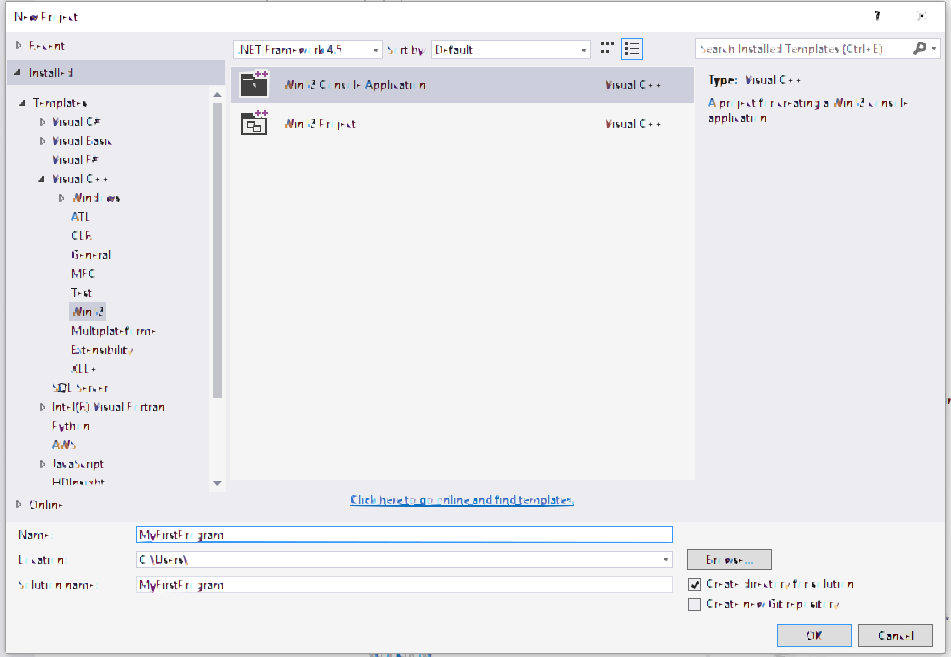
-
Click Ok
-
Click Next in the following window.
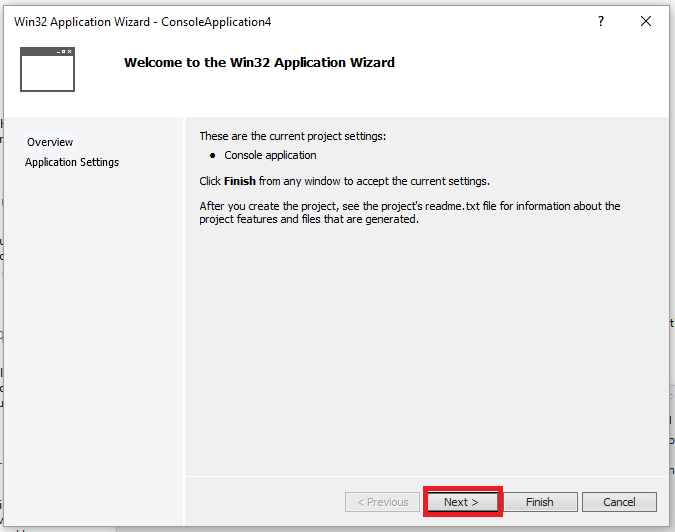
-
Check the
Empty projectbox and then click Finish: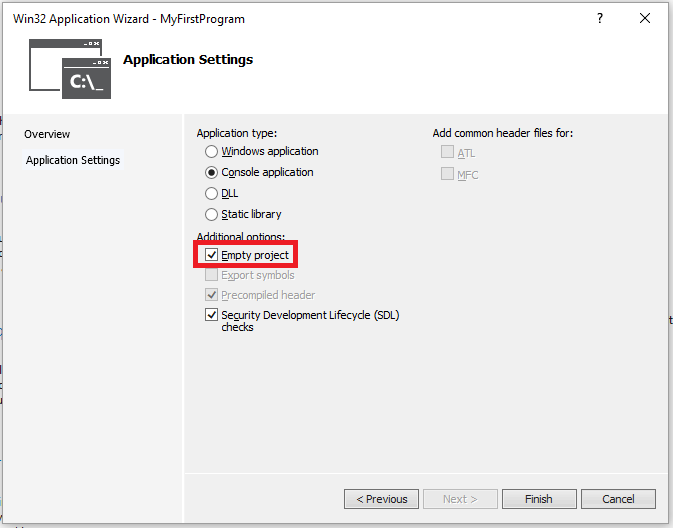
-
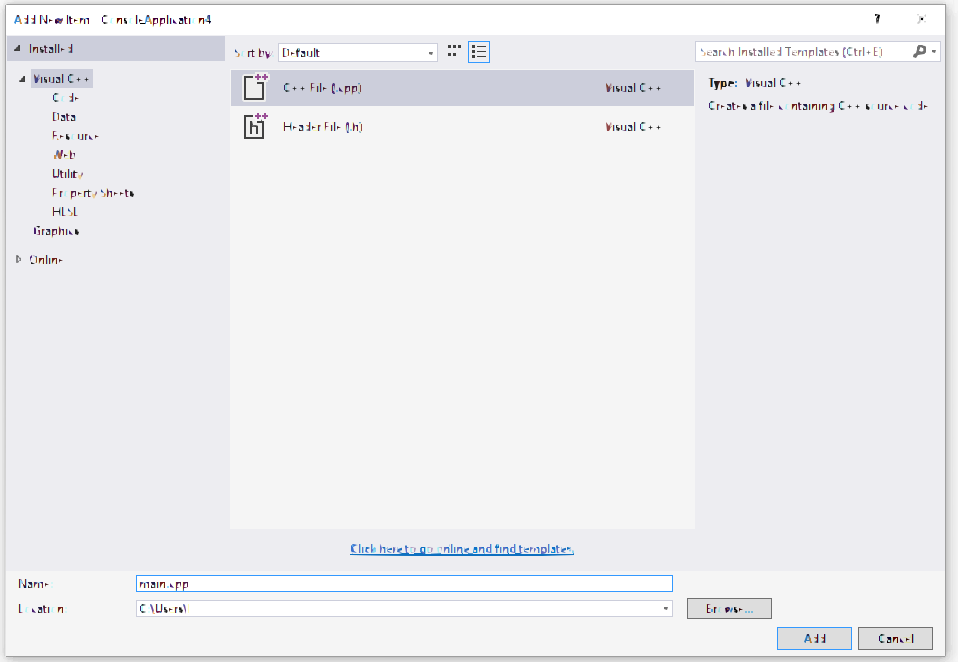
Right click on folder Source File then -> Add –> New Item :
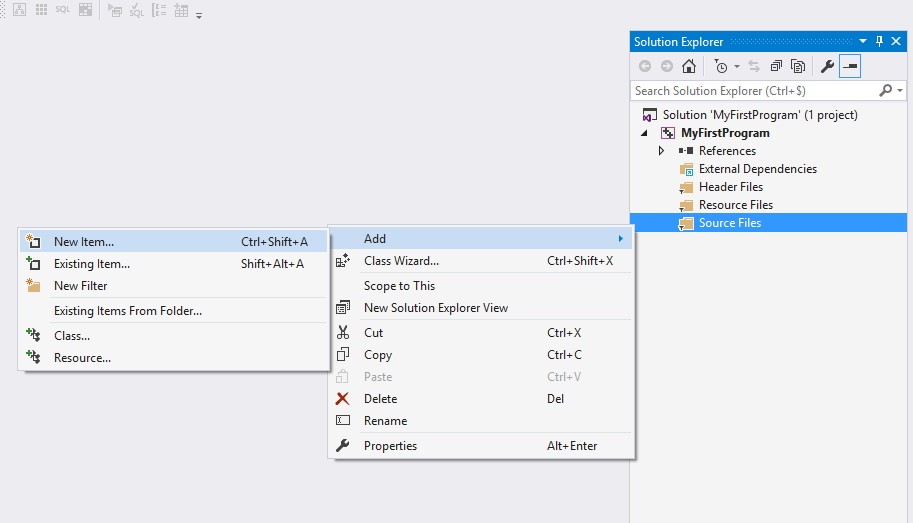
-
Select C++ File and name the file main.cpp, then click Add: 10: Copy and paste the following code in the new file main.cpp:
#include <iostream>

int main()
{
    std::cout << "Hello World!\n";
    return 0;
}
You environment should look like:

-
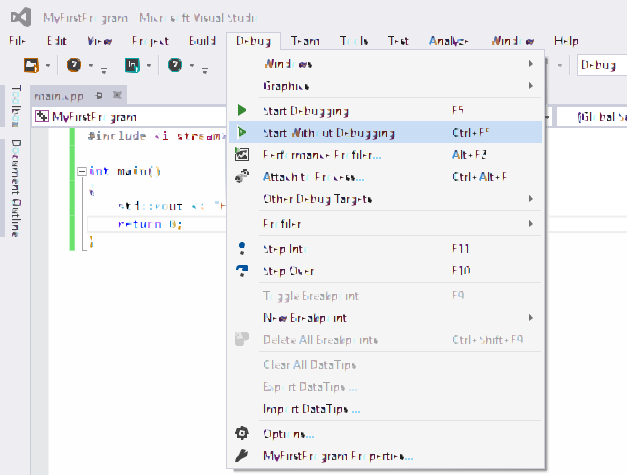
Click Debug -> Start Without Debugging (or press ctrl + F5) :
-
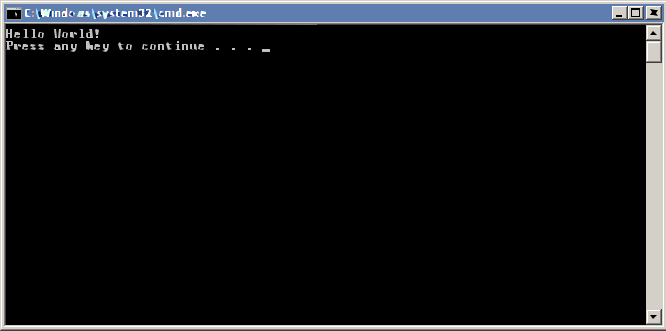
Done. You should get the following console output :
Found a mistake? Have a question or improvement idea?
Let me know.
Table Of Contents