Compiling with Visual Studio Graphical Interface - Hello World
suggest change- Download and install Visual Studio Community 2015
- Open Visual Studio Community
- Click File -> New -> Project

- Click Templates -> Visual C++ -> Win32 Console Application and then name the project MyFirstProgram.
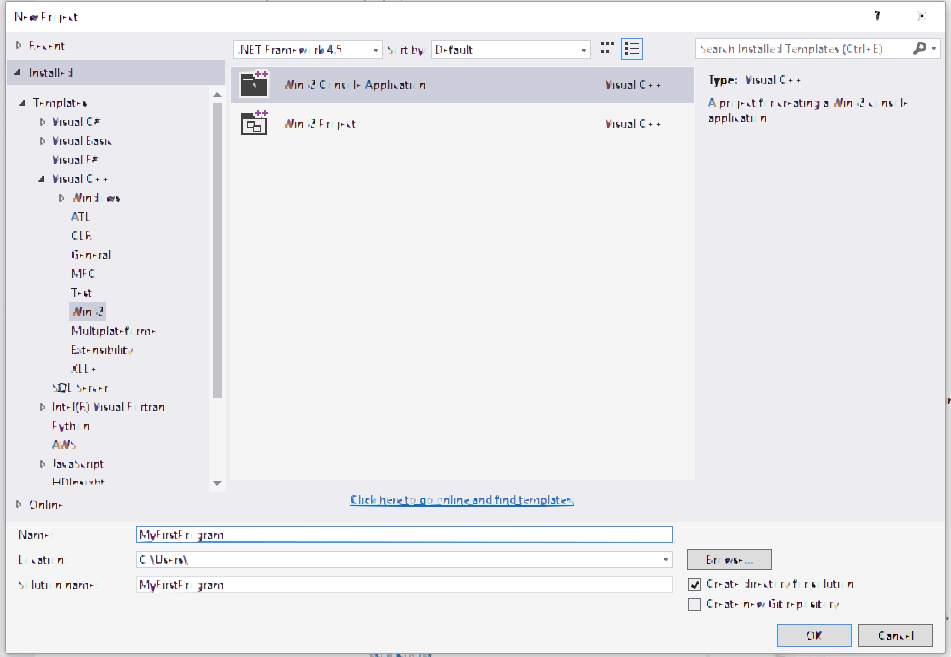
- Click Ok
- Click Next in the following window.
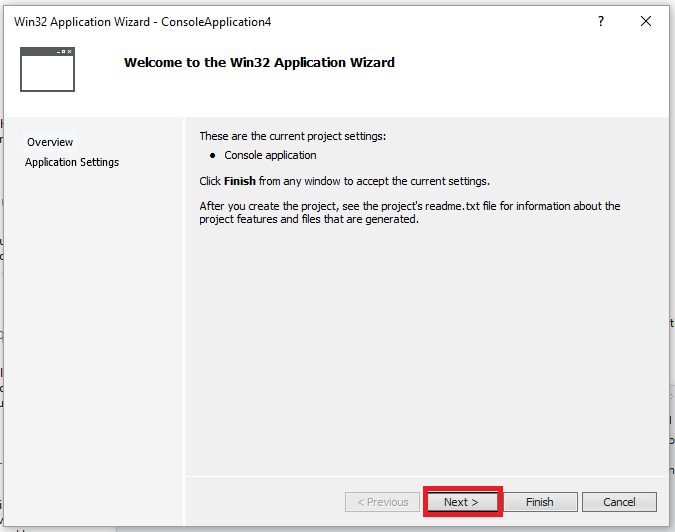
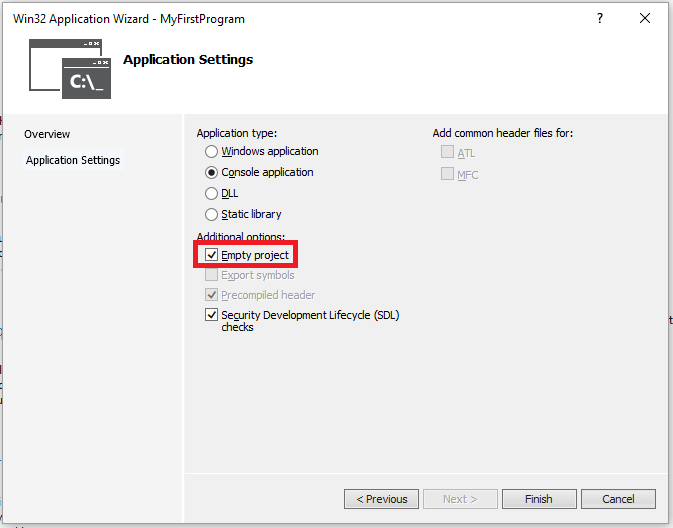
- Check the
Empty projectbox and then click Finish:
- Right-click the Source Files folder, then choose Add –> New Item:
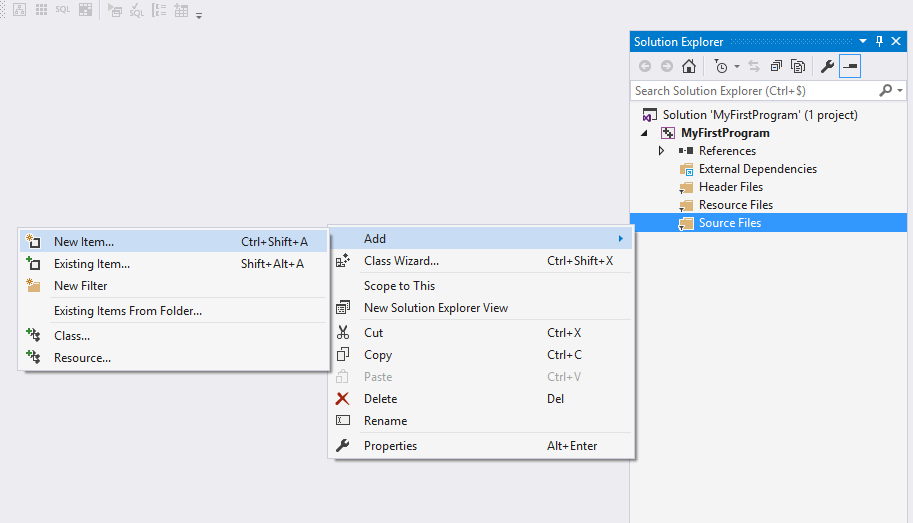
-
Select C++ File, name the file
main.cpp, then click Add. -
Copy and paste the following code into the new file
main.cpp: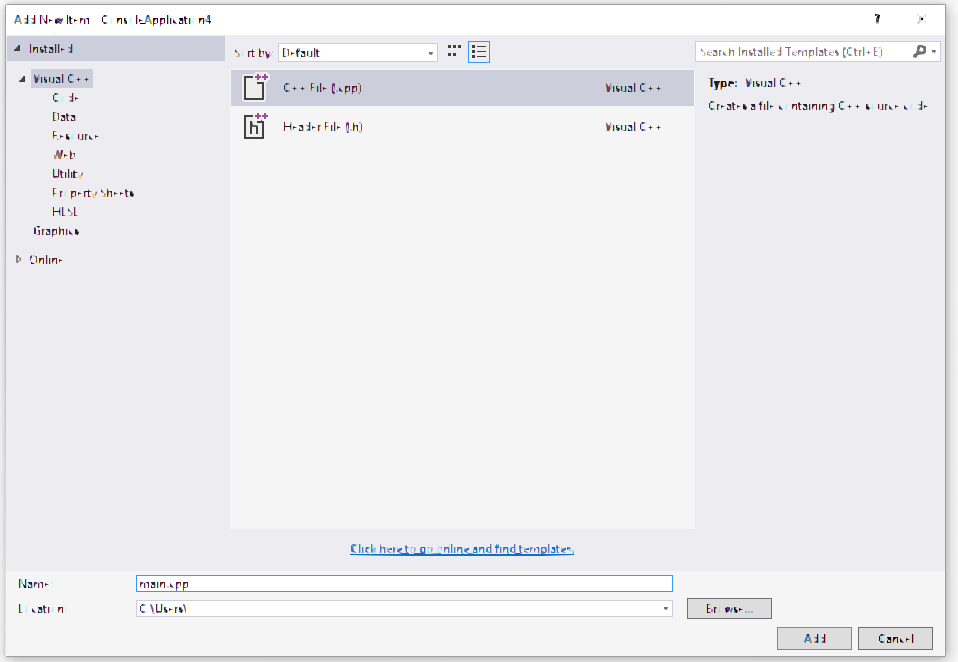
#include <iostream>

int main()
{
    std::cout << "Hello World!\n";
    return 0;
}
Your environment should look like:

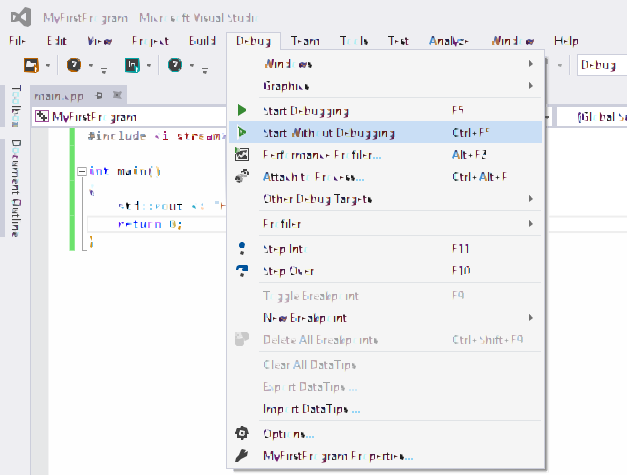
- Click Debug -> Start Without Debugging (or press ctrl + F5) :
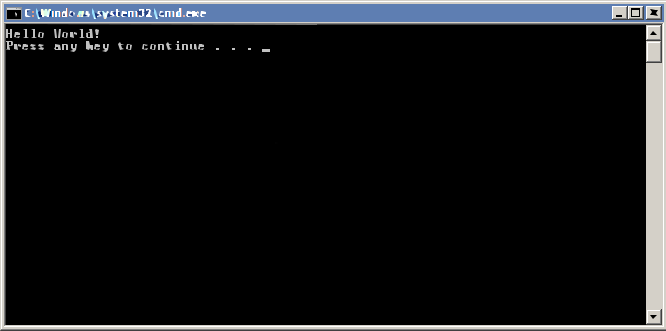
- Done. You should get the following console output :
Found a mistake? Have a question or improvement idea?
Let me know.
Table Of Contents