Creating a new query using LINQPad
suggest changeLINQPad is a tool for learning and testing .NET languages (C#, F#, and VB.NET).
-
Install LINQPad
-
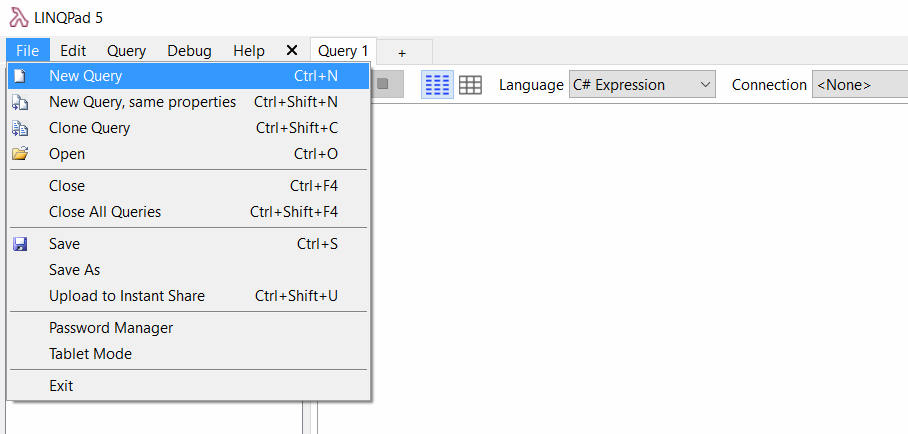
Create a new Query (Ctrl + N)
-
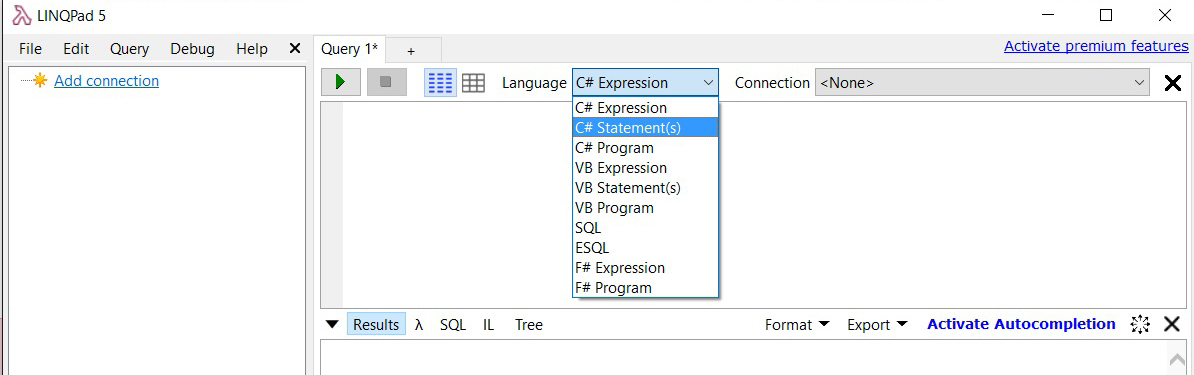
Under language, select “C# statements”
-
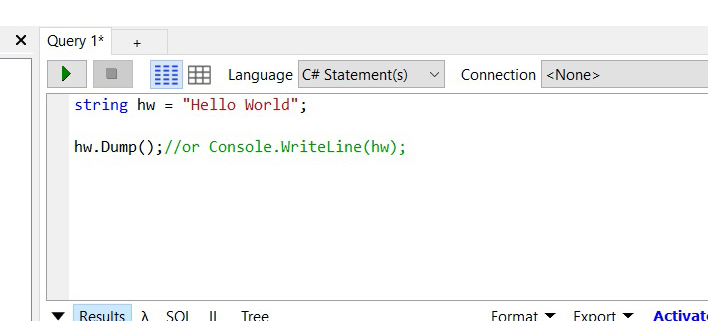
Type the following code and hit run (F5)
string hw = "Hello World";

hw.Dump(); //or Console.WriteLine(hw);
-
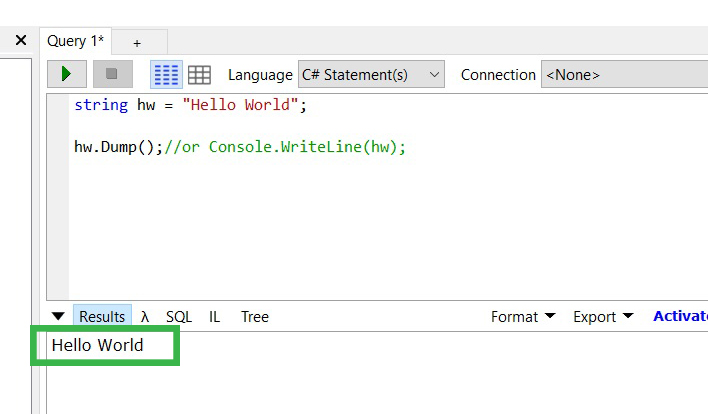
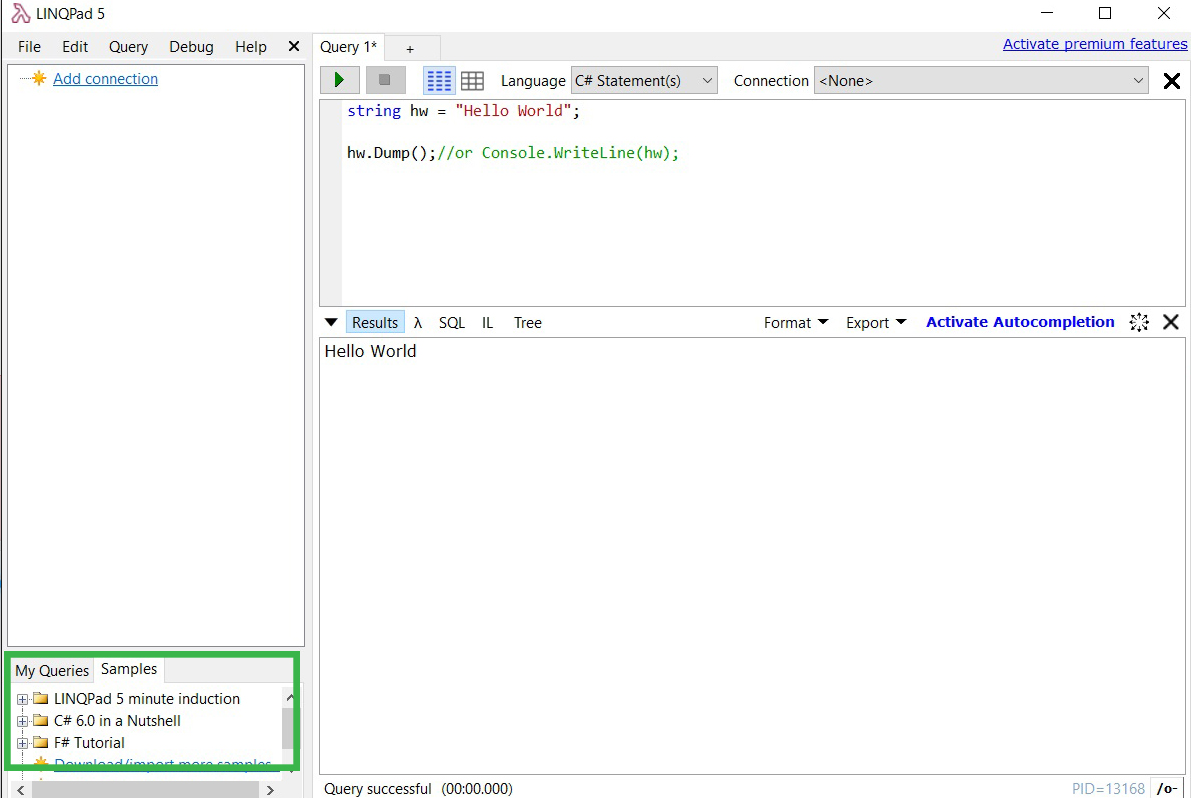
You should see “Hello World” printed out in the results screen.
-
Now that you have created your first .NET program, open the samples included in LINQPad through the “Samples” browser. They show many features of the .NET languages.
Notes:
-
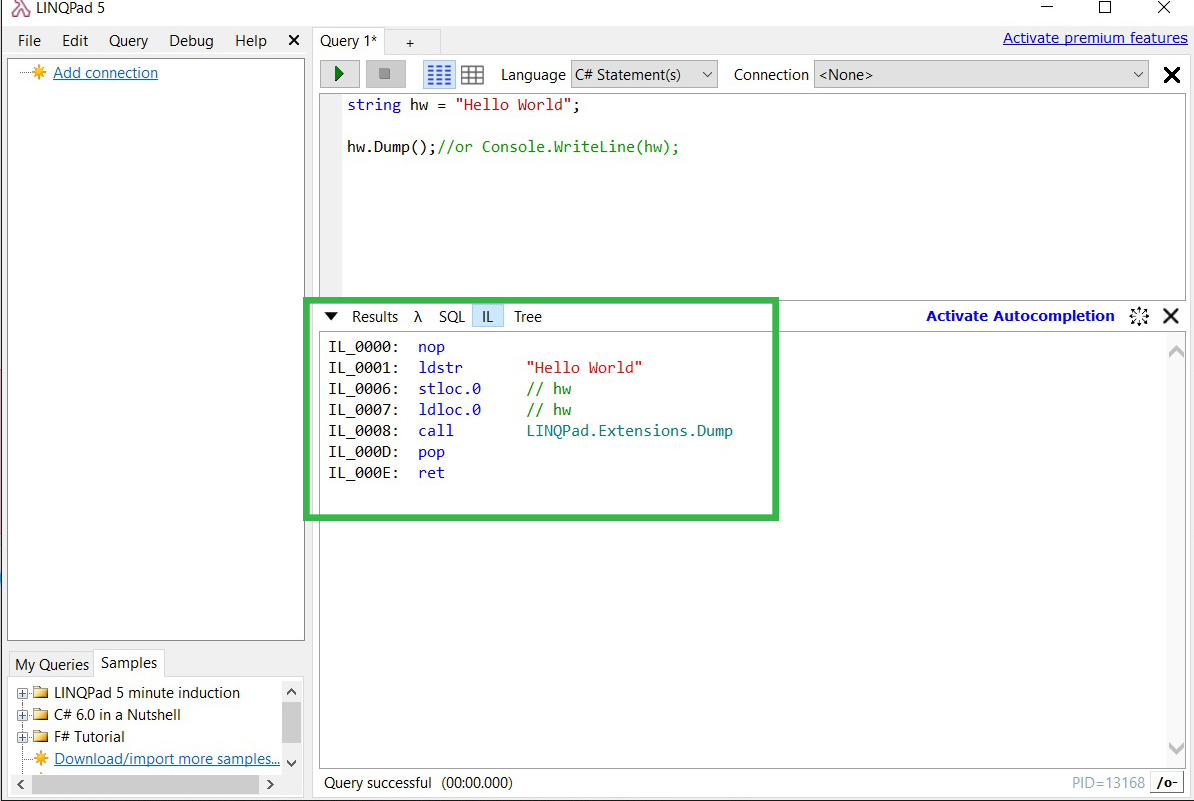
If you click “IL”, you can inspect the IL that your .NET code generates.
-
When using LINQ to SQL or LINQ to Entities, you can inspect the SQL that is generated.
Found a mistake? Have a question or improvement idea?
Let me know.
Table Of Contents