Multiple transforms
suggest changeMultiple transforms can be applied to an element in one property like this:
transform: rotate(15deg) translateX(200px);
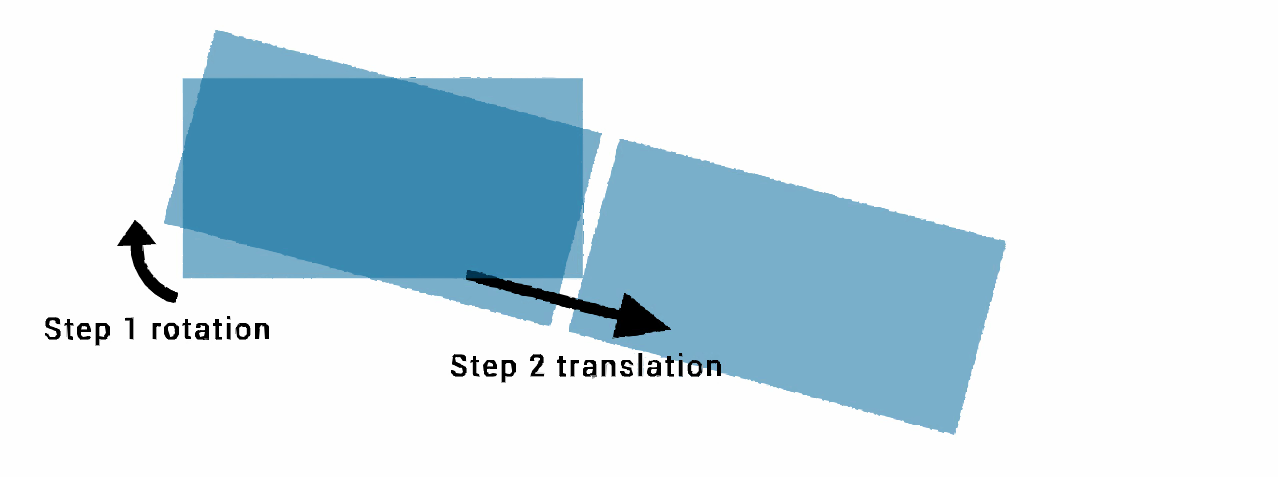
This rotates the element 15 degrees clockwise and translates it along the axis that rotation creates, not along the screen’s horizontal axis.
In chained transforms, the coordinate system moves with the element. The translation is therefore on an axis rotated 15 degrees clockwise, as shown in the following image:
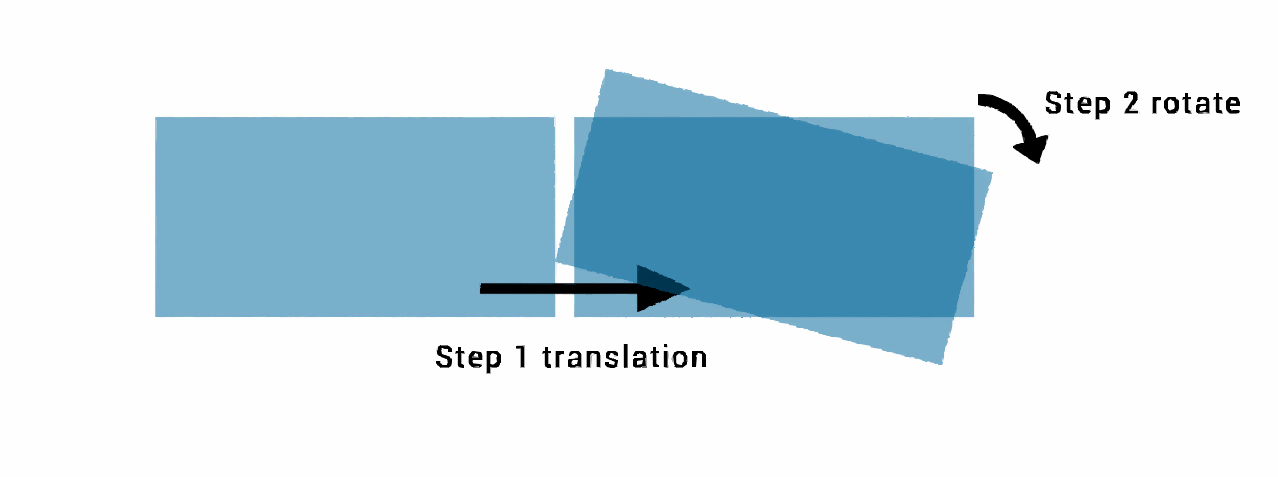
Changing the order of the transforms will change the output. The first example will be different to
transform: translateX(200px) rotate(15deg);
<div class="transform"></div>
.transform {
  transform: rotate(15deg) translateX(200px);
}
As shown in this image:
Found a mistake? Have a question or improvement idea?
Let me know.
Table Of Contents