Adding Siri Extension to App
suggest changeTo integrate Siri capabilities in your app, add an extension the same way you would add an iOS 10 widget (the old Today extension) or a custom keyboard.
Adding capability
1- In the project settings, select your iOS app target and go to Capabilities tab
2- Enable the Siri capability
Adding the extension
1- Go to File -> New -> Target…
2- Select iOS -> Application Extension from the left pane
3- Double-click Intents Extension from right
According to Apple:
Intents Extension template builds an Intents extension that allows your app to handle intents issued by system services like Siri and Maps.
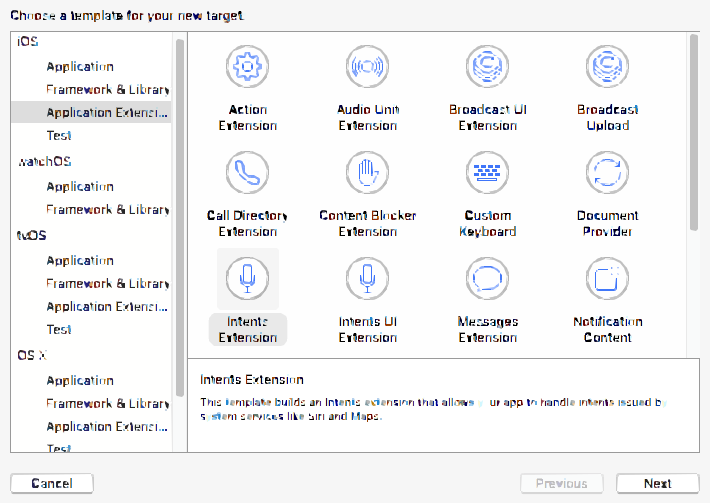
4- Choose a name, and be sure to check “Include UI Extension”

These steps create two new targets (Intents Extension and Intents UI Extension). By default they contain workout-intent code. For other kinds of Siri requests, see Remarks.
Note
Anytime you want to debug your extension, just select the Intent scheme from the available schemes.
Note
The original iOS 10 SiriKit could not be tested in the Simulator, so you needed a device. Later Xcode versions can exercise some intents in the Simulator.