Adding Test Files to Xcode Project
suggest changeWhen creating the project
You should check “Include UI Tests” in the project creation dialog.
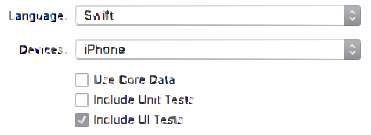
After creating the project
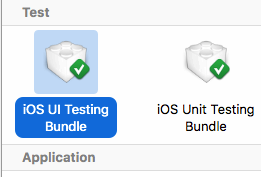
If you did not include UI tests when you created the project, you can add a test target later.
Steps:
- With the project open, go to
File->New->Target - Find
iOS UI Testing Bundle
Found a mistake? Have a question or improvement idea?
Let me know.
Table Of Contents