Create your first program in Swift 3
suggest changeThis is a first Swift 3 program in Xcode. Earlier programming experience helps, and it is not required.
Requirements:
- macOS 10.11.6 or later for Xcode 8.2
- Xcode 8.2. Xcode
Xcode 8.2 includes Swift 3 and the iOS 10 SDK.
Create your first program
First go to Application and open your Xcode 8.2.
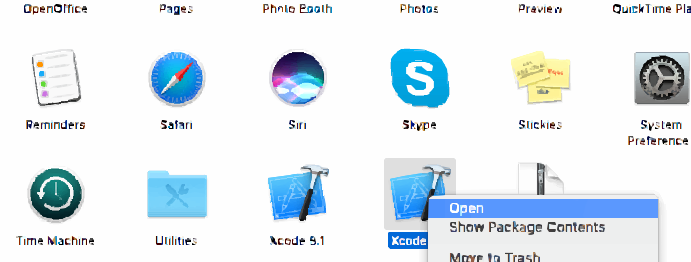
After that you will see the screen
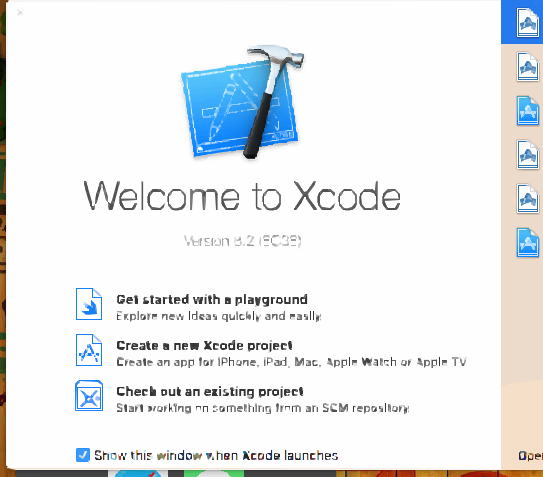
Then choose Create new Project and after that you will see next screen
This is also very important part inside Xcode for selecting our project type. We need to choose our project according to types of OS. There are five types of options available on the top side:
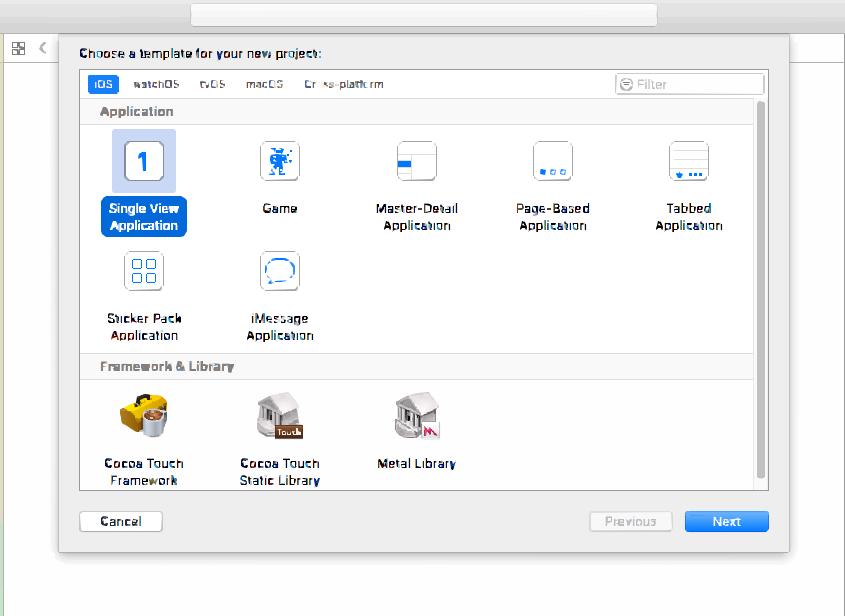
Now we are choosing iOS platform for development and creating very basic project with the single view application option:
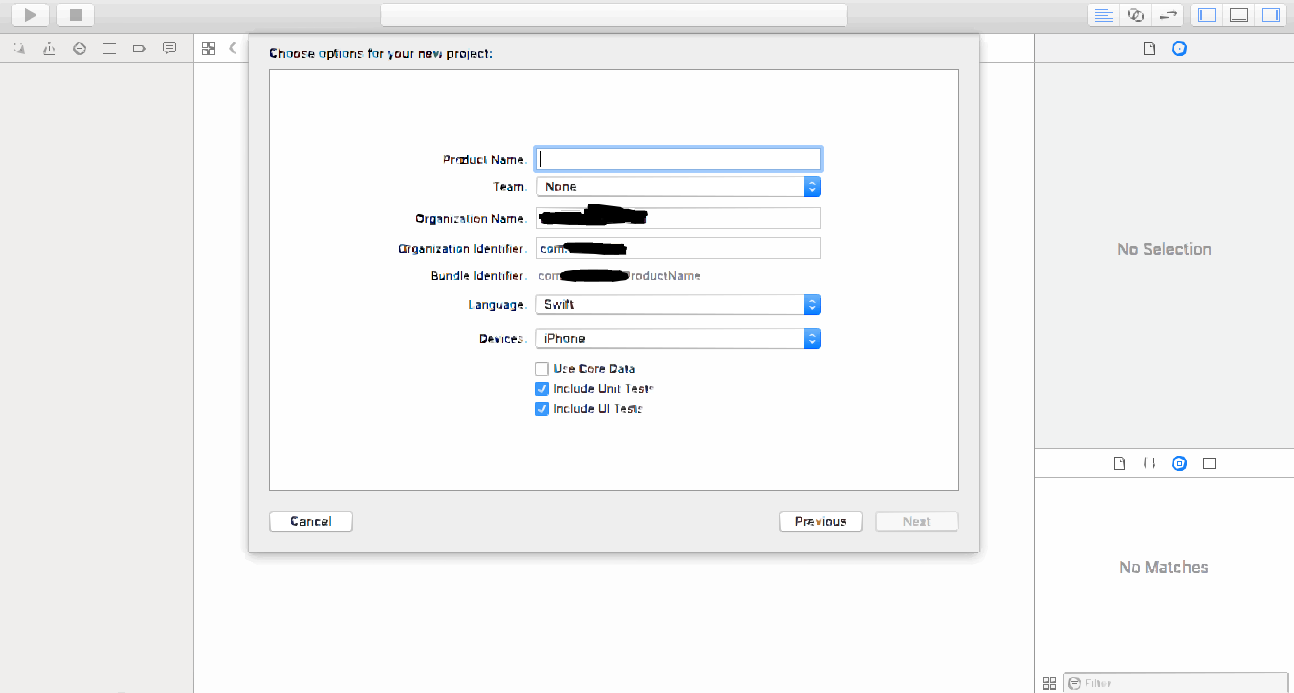
Then we need to give Product Name, this will represent your Bundle name and application name.
Application name you can change later as per your requirements. Then we need to click “Create” and after that your screen will look like this one below:
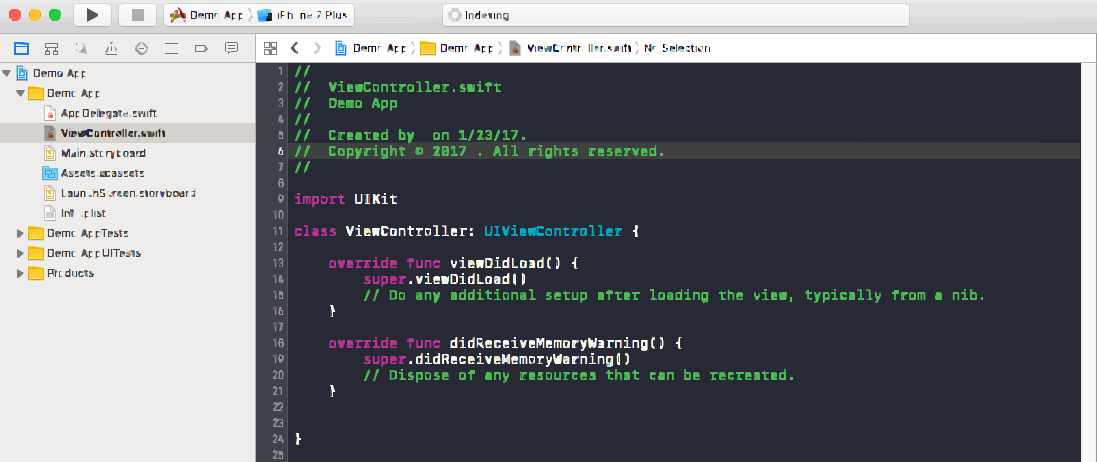
The file is ViewController.swift. The class ViewController inherits from UIViewController. Add a String named myString under super.viewDidLoad(), then print it. Without print, nothing is written to the console.
let myString = "Hello, World!"
print(myString)
We are going to print the content of this variable. First, select your simulator type at the top left hand side of the screen and then click on the “Run” button.
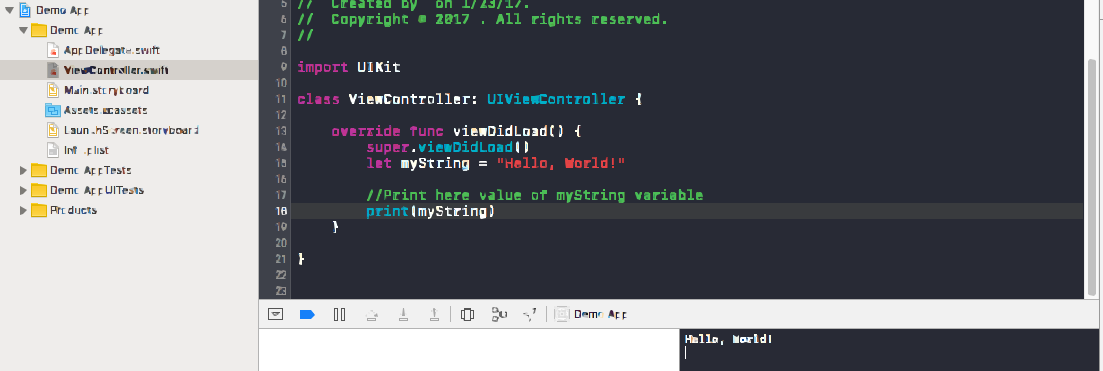
The print output appears in the debug console at the bottom of the window. This is a Hello World program inside Xcode.