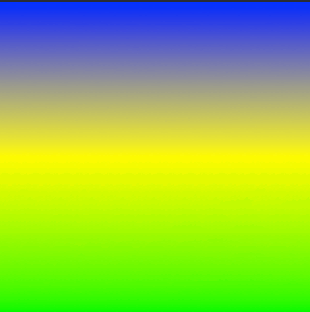
Creating a CAGradientLayer with multiple colors
suggest change// View to hold the CAGradientLayer.
let view: UIView = UIView(frame: CGRect(x: 0, y: 0, width: 320, height: 320))
// Initialize gradient layer.
let gradientLayer: CAGradientLayer = CAGradientLayer()
// Set frame of gradient layer.
gradientLayer.frame = view.bounds
// Color at the top of the gradient.
let topColor: CGColor = UIColor.blue.cgColor
// Color at the middle of the gradient.
let middleColor: CGColor = UIColor.yellow.cgColor
// Color at the bottom of the gradient.
let bottomColor: CGColor = UIColor.green.cgColor
// Set colors.
gradientLayer.colors = [topColor, middleColor, bottomColor] as [Any]
// Set locations of the colors. `locations` is an array of NSNumber.
gradientLayer.locations = [0.0, 0.5, 1.0] as [NSNumber]
// Insert the gradient layer into the view's layer hierarchy.
view.layer.insertSublayer(gradientLayer, at: 0)
Result :
Found a mistake? Have a question or improvement idea?
Let me know.
Table Of Contents