Generating a .pem certificate from your .cer file to pass on to the server developer
suggest change- Save
aps.certo a folder. - Open Keychain Access and export the private key under that certificate to a
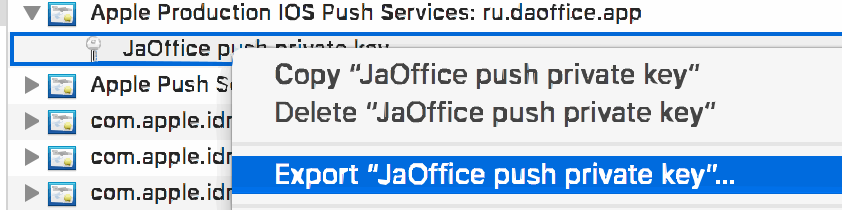
.p12file (call itkey.p12). Right-click the key and choose Export. Save it to the same folder as step 1. On export you will be prompted for a password. Make something up and memorize it.
cdto that folder in Terminal and run the following commands.- Convert the
.certo a.pemcertificate:
openssl x509 -in aps.cer -inform der -out aps.pem
- Convert the key to
.pem. To open the key, enter the password you chose when exporting it from Keychain Access in step 2. Then enter another password that will protect the exported file. You will be prompted to enter it twice for confirmation.
openssl pkcs12 -nocerts -out key.pem -in key.p12
- Merge the files into one final file:
cat key.pem aps.pem > final_cert.pem
final_cert.pemis the result. Pass it to the server developers with the password from step 5, so that they can use the protected certificate.
Found a mistake? Have a question or improvement idea?
Let me know.
Table Of Contents