How to make custom reusable UIView using XIB
suggest changeThe following steps initialize a view from a xib.
Main steps:
- Create the xib.
- Create the class
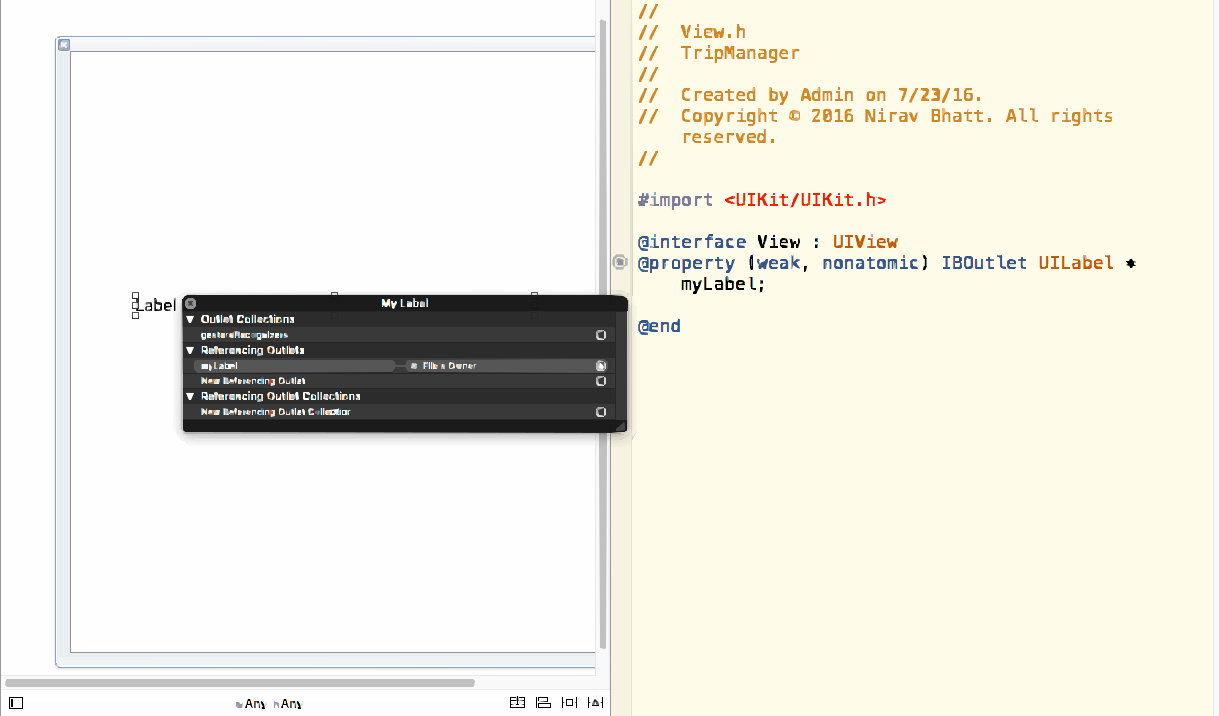
.hand.mfiles. - Define outlets in the
.hfile. - Connect the outlets between the class and the xib.
See attached screenshot:
- Call
loadNibNamedfrominitWithCoder:in the.mfile so a storyboard or parent xib can place this view and set its class. TheloadNibNamedcall itself is not shown here. Loading the same class from insideinitWithCoder:loops forever if the xib’s root view is that class. The usual guard is a flag, or a xib whose root view is a plainUIViewwith the custom class as File’s Owner. This page does not show that guard.
Found a mistake? Have a question or improvement idea?
Let me know.
Table Of Contents