Master and Detail View interaction using Delegates in Objective C
suggest changeUISplitViewController must be the rootViewController of your application.
- (BOOL)application:(UIApplication *)application didFinishLaunchingWithOptions:(NSDictionary *)launchOptions
{
// Override point for customization after application launch.
self.window = [[UIWindow alloc] initWithFrame:[[UIScreen mainScreen] bounds]];
self.window.backgroundColor = [UIColor blackColor];
[self.window makeKeyAndVisible];
self.window.clipsToBounds = YES;
ViewController *spView = [[ViewController alloc] init];
self.window.rootViewController = spView;
[self.window makeKeyAndVisible];
return YES;
}
Just create an object for the UISplitViewController and set that viewcontroller as the rootviewcontroller for your application.
#import <UIKit/UIKit.h>
#import "MasterViewController.h"
#import "DetailViewController.h"
@interface ViewController : UISplitViewController
{
DetailViewController *detailVC;
MasterViewController *masterVC;
NSMutableArray *array;
}
@end
MasterViewController is always on the left side of the device. You can set the width in UISplitViewController delegate methods. DetailViewController is on the right side of the application. The class below does not declare UISplitViewControllerDelegate and does not implement those methods.
#import "ViewController.h"
#define ANIMATION_LENGTH 0.3
@interface ViewController ()
@end

@implementation ViewController
- (void)viewDidLoad
{
[super viewDidLoad];
masterVC = [[MasterViewController alloc]init];
detailVC = [[DetailViewController alloc]init];
[masterVC setDetailDelegate:(id)detailVC];
NSArray *vcArray = [NSArray arrayWithObjects:masterVC, detailVC, nil];
self.preferredDisplayMode = UISplitViewControllerDisplayModeAutomatic;
self.viewControllers = vcArray;
self.delegate = (id)self;
self.presentsWithGesture = YES;
}

@end
Created master and detail view controllers are added to an array which is set to self.viewControllers. preferredDisplayMode is the mode used to display the master and detail controllers (display mode). presentsWithGesture enables the swipe gesture that shows MasterViewController. The header above is ViewController, which is the class AppDelegate creates. retain does not compile under ARC, so detailDelegate is weak.
#import <UIKit/UIKit.h>

@protocol DetailViewDelegate <NSObject>
@required
- (void)sendSelectedNavController:(UIViewController *)viewController;
@end

@interface MasterViewController : UIViewController
{
    UITableView *mainTableView;
    NSMutableArray *viewControllerArray;
}
@property (nonatomic, weak) id<DetailViewDelegate> detailDelegate;
@end
Create a DetailViewDelegate delegate with sendSelectedNavController:(UIViewController *)viewController method for sending the UIViewController to the DetailViewcontroller. Then in MasterViewController the mainTableView is the tableview in the leftside. The viewControllerArray contains all the UIViewControllers that needs to be displayed in DetailViewController
#import "MasterViewController.h"

@implementation MasterViewController
@synthesize detailDelegate;

-(void)viewDidLoad
{
[super viewDidLoad];

UIViewController *dashBoardVC = [[UIViewController alloc]init];
[dashBoardVC.view setBackgroundColor:[UIColor redColor]];
UIViewController *inventVC = [[UIViewController alloc]init];
[inventVC.view setBackgroundColor:[UIColor whiteColor]];
UIViewController *alarmVC = [[UIViewController alloc]init];
[alarmVC.view setBackgroundColor: [UIColor purpleColor]];
UIViewController *scanDeviceVC = [[UIViewController alloc]init];
[scanDeviceVC.view setBackgroundColor:[UIColor cyanColor]];
UIViewController *serverDetailVC = [[UIViewController alloc]init];
[serverDetailVC.view setBackgroundColor: [UIColor whiteColor]];
viewControllerArray = [[NSMutableArray alloc]initWithObjects:dashBoardVC,inventVC,alarmVC,scanDeviceVC,serverDetailVC,nil];
mainTableView = [[UITableView alloc]initWithFrame:CGRectMake(0, 50,self.view.frame.size.width, self.view.frame.size.height-50) style:UITableViewStylePlain];
[mainTableView setDelegate:(id)self];
[mainTableView setDataSource:(id)self];
[mainTableView setSeparatorStyle:UITableViewCellSeparatorStyleNone];
[mainTableView setScrollsToTop:NO];
[self.view addSubview:mainTableView];
}

- (CGFloat)tableView:(UITableView *)tableView
heightForRowAtIndexPath:(NSIndexPath *)indexPath
{
    return 100;
}
- (NSInteger)tableView:(UITableView *)tableView numberOfRowsInSection:    (NSInteger)section
{
    return [viewControllerArray count];
}

- (NSInteger)numberOfSectionsInTableView:(UITableView *)tableView
{
    return 1;    //count of section
}

- (UITableViewCell *)tableView:(UITableView *)tableView
     cellForRowAtIndexPath:(NSIndexPath *)indexPath
{
    NSString *cellId = [NSString stringWithFormat:@"Cell%li%ld",(long)indexPath.section,(long)indexPath.row];
UITableViewCell *cell =[tableView   dequeueReusableCellWithIdentifier:cellId];

if (cell == nil)
{
   cell = [[UITableViewCell alloc]initWithStyle:UITableViewCellStyleDefault reuseIdentifier:cellId];
}
[cell.contentView setBackgroundColor:[UIColor redColor]];
cell.textLabel.text =[NSString stringWithFormat:@"My VC at index %ld",(long)indexPath.row];
return cell;
}

- (void)tableView:(UITableView *)tableView
didSelectRowAtIndexPath:(NSIndexPath *)indexPath
{
    [detailDelegate sendSelectedNavController:[viewControllerArray objectAtIndex:indexPath.row]];
}

@end
Create some view controllers and add them to an array. The table is then created, and didSelectRowAtIndexPath: sends the selected controller through detailDelegate. MasterViewController does not declare the table-view protocols in its header; the (id) casts hide that. The table frame is taken from self.view.frame inside viewDidLoad, before layout. A different reuse identifier for every row prevents cell reuse.
#import <UIKit/UIKit.h>

@interface DetailViewController : UIViewController<UICollectionViewDelegate>
{
    UIViewController *tempNav;
}
@end
#import "DetailViewController.h"

@implementation DetailViewController
-(void)viewDidLoad
{
    [super viewDidLoad];
    [self.view setBackgroundColor:[UIColor whiteColor]];
}
-(void)sendSelectedNavController:(UIViewController *)navController
{
    if (tempNav != nil) {
        [tempNav willMoveToParentViewController:nil];
        [tempNav.view removeFromSuperview];
        [tempNav removeFromParentViewController];
    }
    tempNav = navController;
    [self addChildViewController:tempNav];
    tempNav.view.frame = self.view.bounds;
    [self.view addSubview:tempNav.view];
    [tempNav didMoveToParentViewController:self];
}
@end
sendSelectedNavController: removes the previous child and adds the controller passed from MasterViewController. Adding only its view, without addChildViewController:, would skip the child’s appearance callbacks. DetailViewController does not adopt DetailViewDelegate in the header shown; the method is still implemented here, and the master passes the detail controller through an (id) cast.
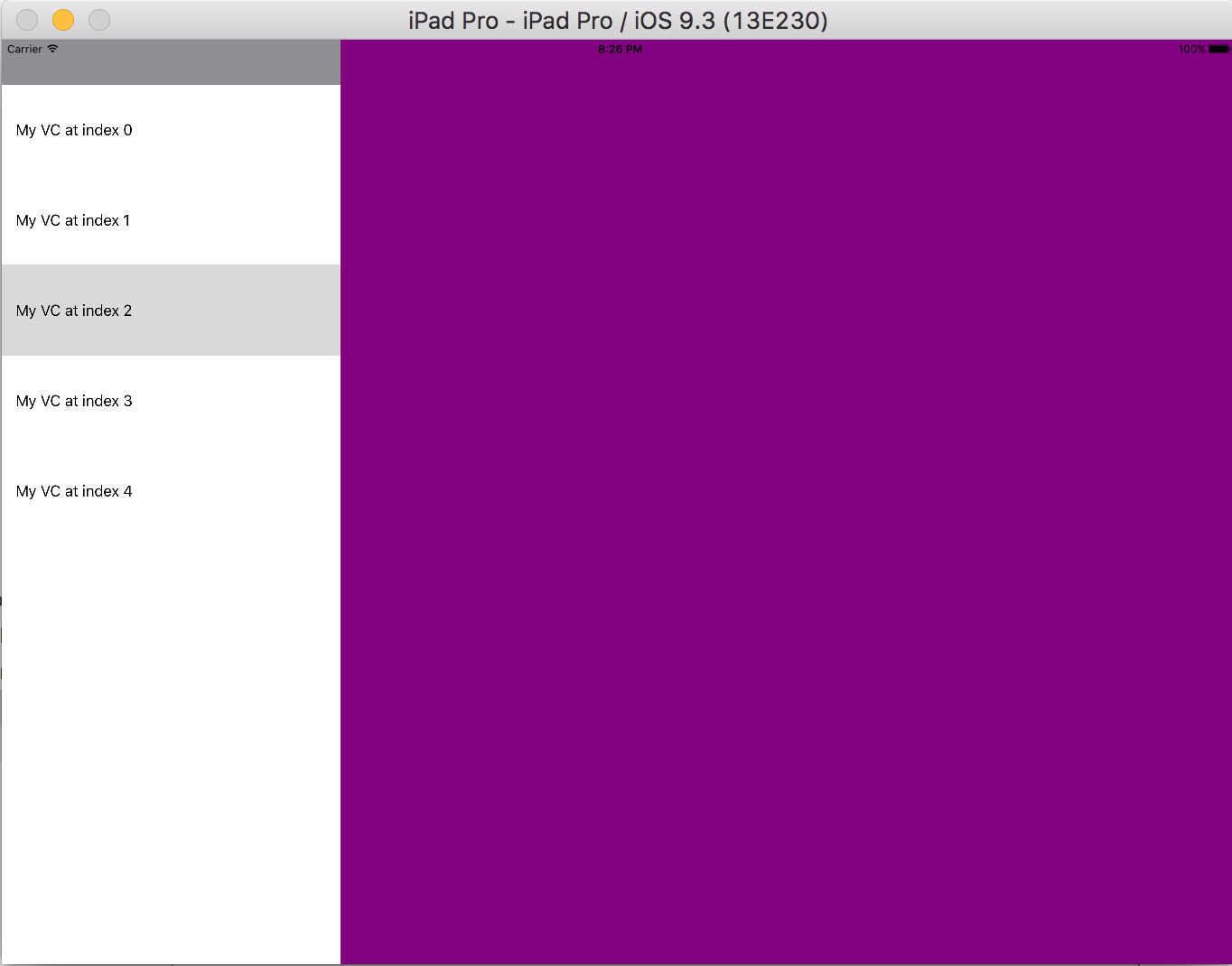
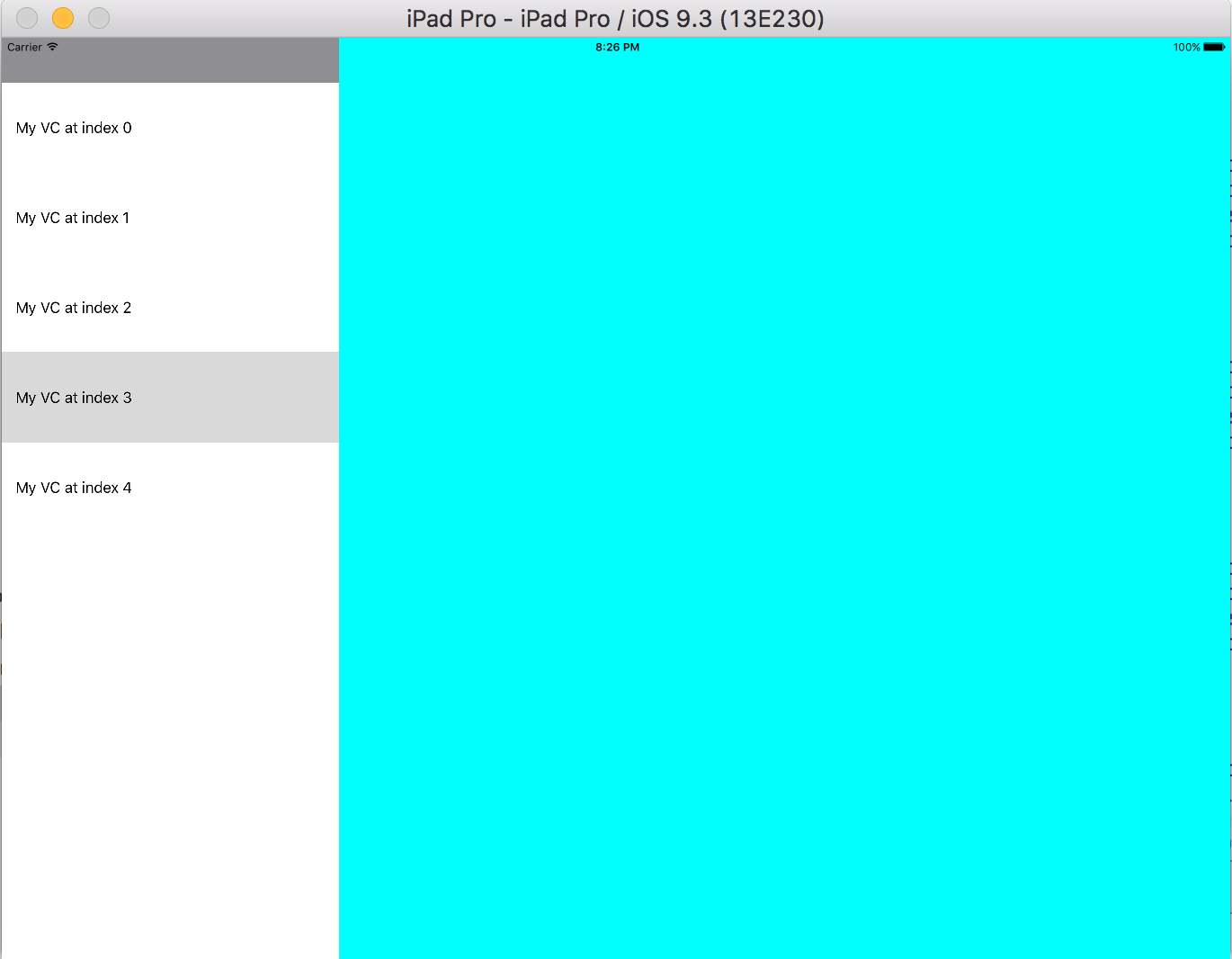
Adding some screen shots of the application

On launch, a compact width hides MasterViewController when preferredDisplayMode is automatic. Swiping shows it, as in the image below. In a regular landscape width, both MasterViewController and DetailViewController are visible.
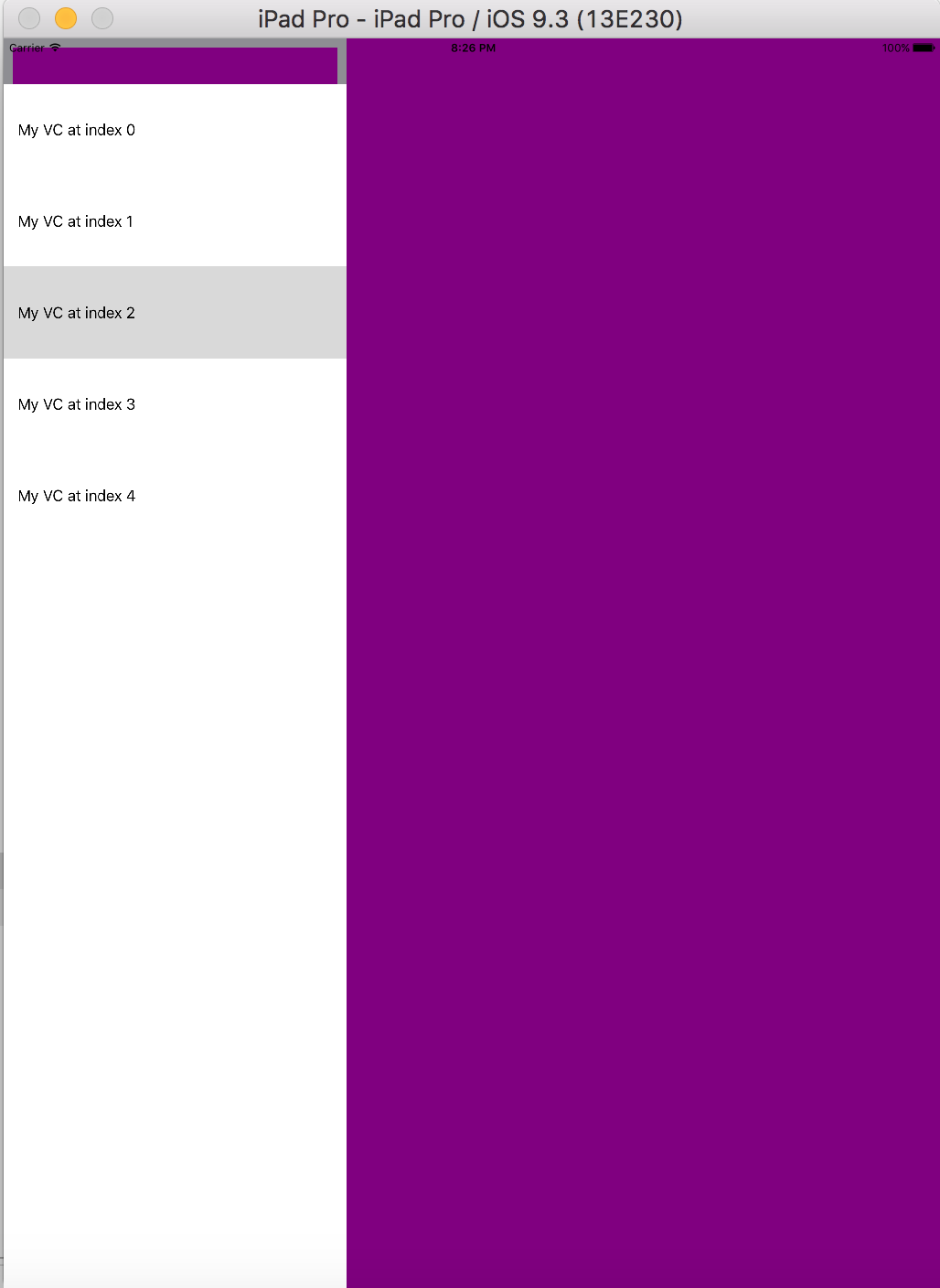
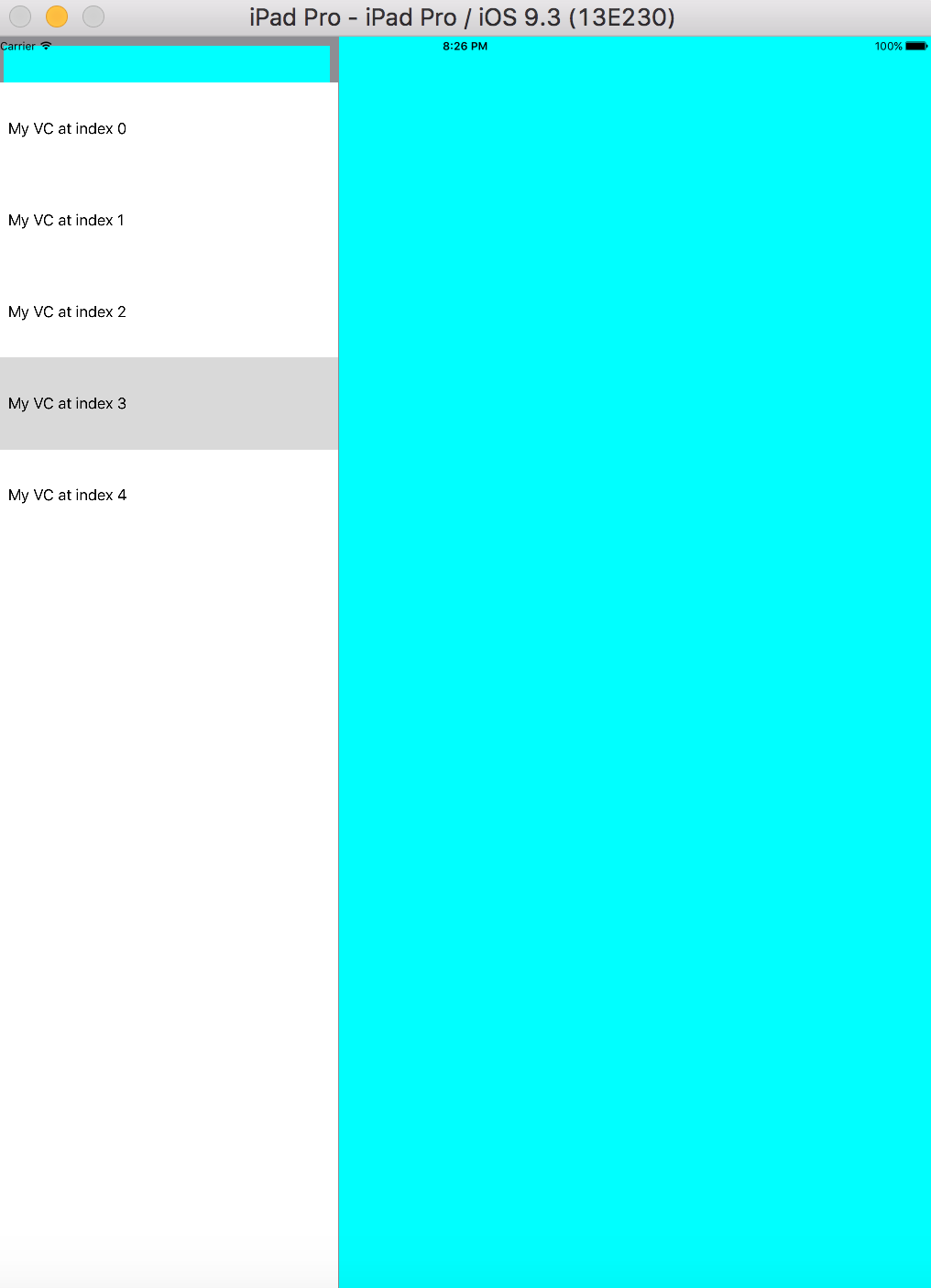
on Landscape Orientiation