Setting up a basic app with SWRevealViewController
suggest changeCreate a basic application with single view application template with swift as language
Add SWRevealViewController.h and SWRevealViewController.m
then click on Create Bridging Header button
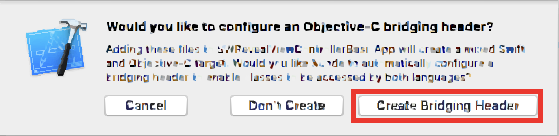
and add
#import "SWRevealViewController.h"
on the Bridging header
Then select viewController on storyboard and change class to SWRevealViewController
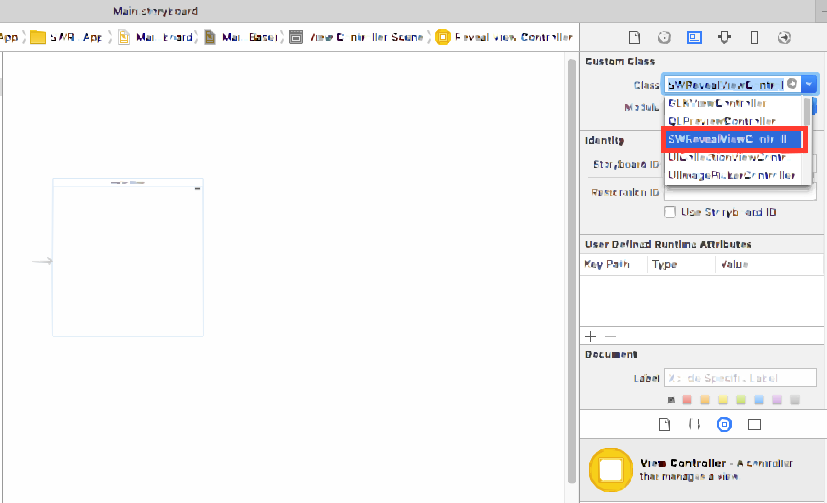
Then rename the viewController on files to MainViewController and add new ViewController with RightViewController name
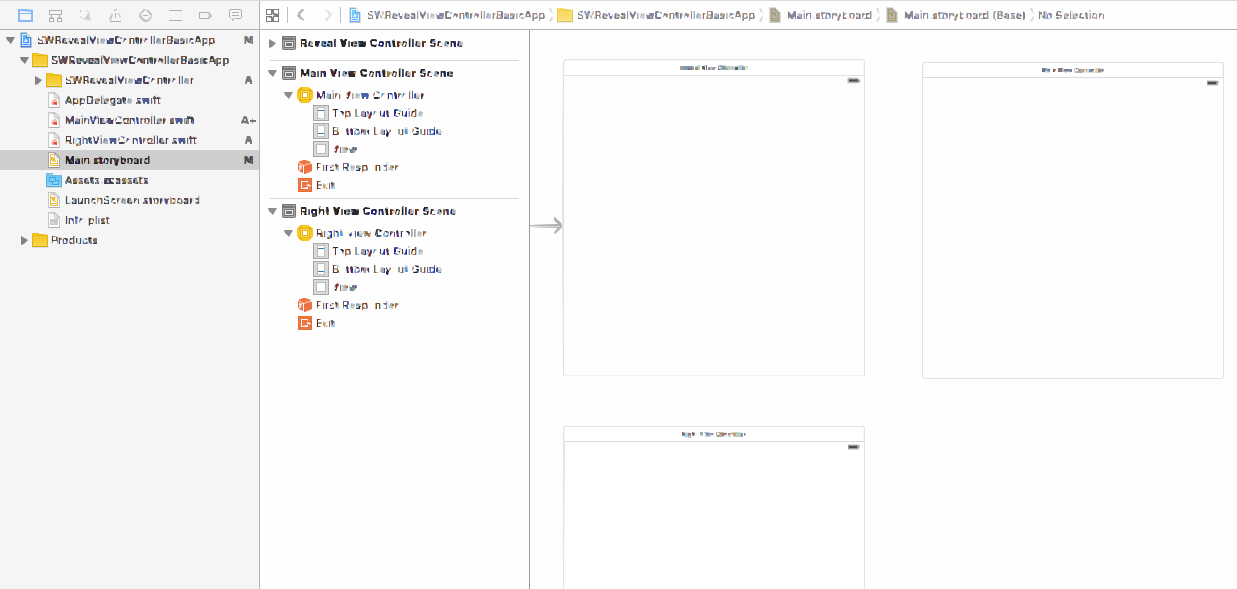
then we add two segues from SWRevealViewController to MainViewController and from SWRevealViewController to RightViewController, then we need to select the first (from SWRevealViewController to MainViewController) and edit properties
on identifier set sw_front on Class set SWRevealViewControllerSegueSetController
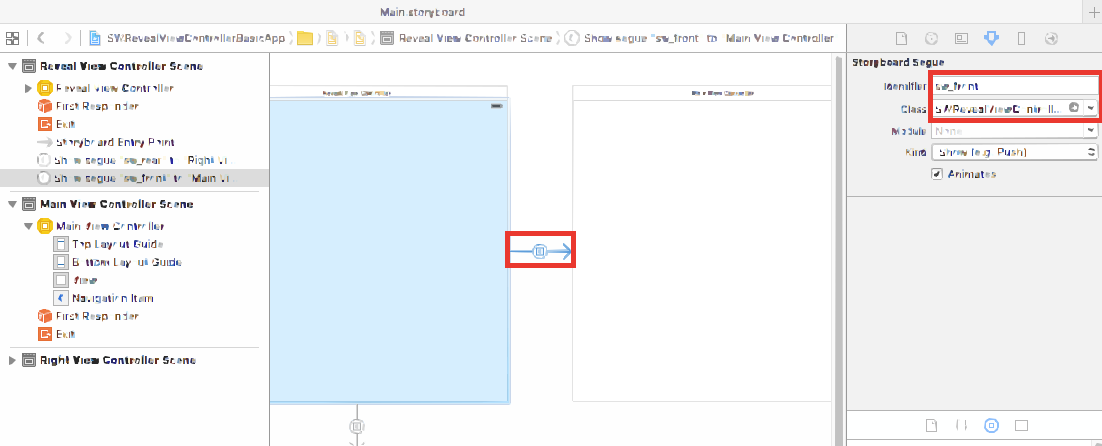
after this we need to do the same with the segue (from SWRevealViewController to RightViewController)
on identifier set sw_rear on Class set SWRevealViewControllerSegueSetController
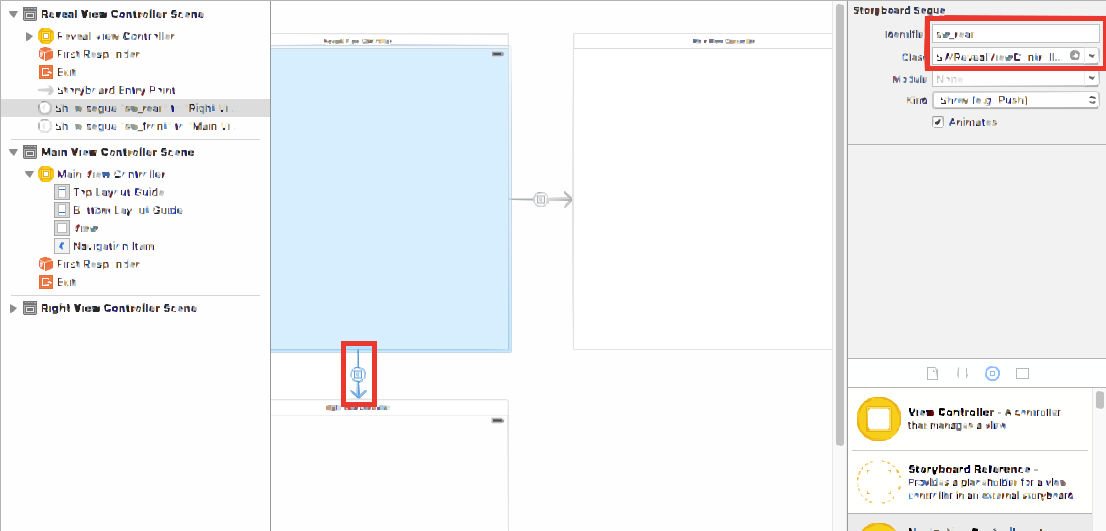
then on MainViewController add this line on viewDidLoad method
self.view.addGestureRecognizer(self.revealViewController().panGestureRecognizer())
revealViewController() is nil when this controller is not embedded in SWRevealViewController. sw_rear is the left menu. Panning the front view to the right reveals it. The right-hand menu identifier is sw_right.