UILabel Parentview size According to Text in UILabel
suggest changeStep by Step Guide :-
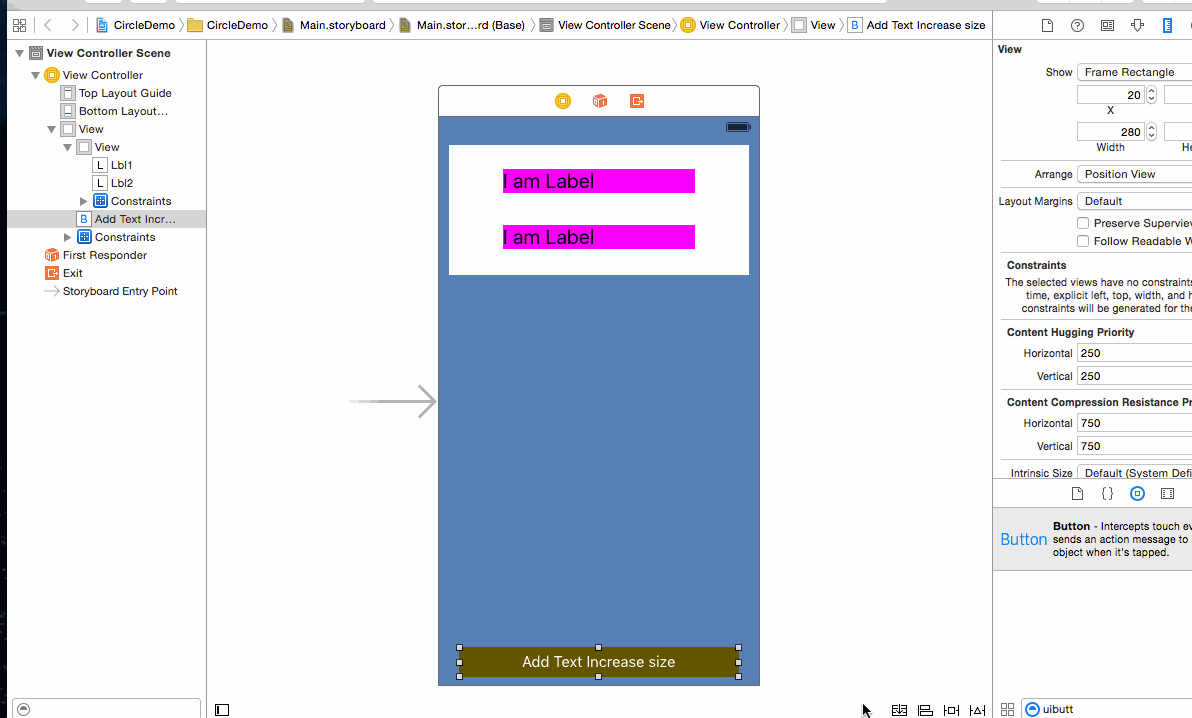
Step 1 :- Set constraints on the UIView
- Leading. 2) Top. 3) Trailing. (From mainview)
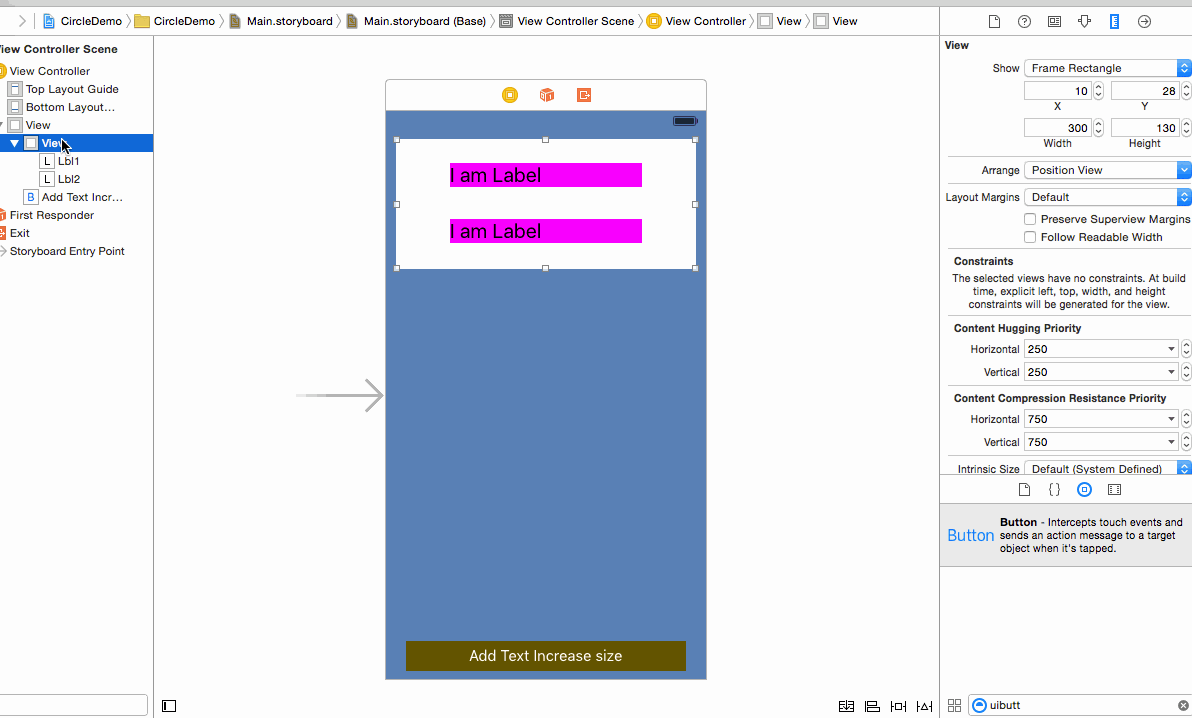
Step 2 :- Set constraints on Label 1
- Leading 2) Top 3) Trailing (From its superview)
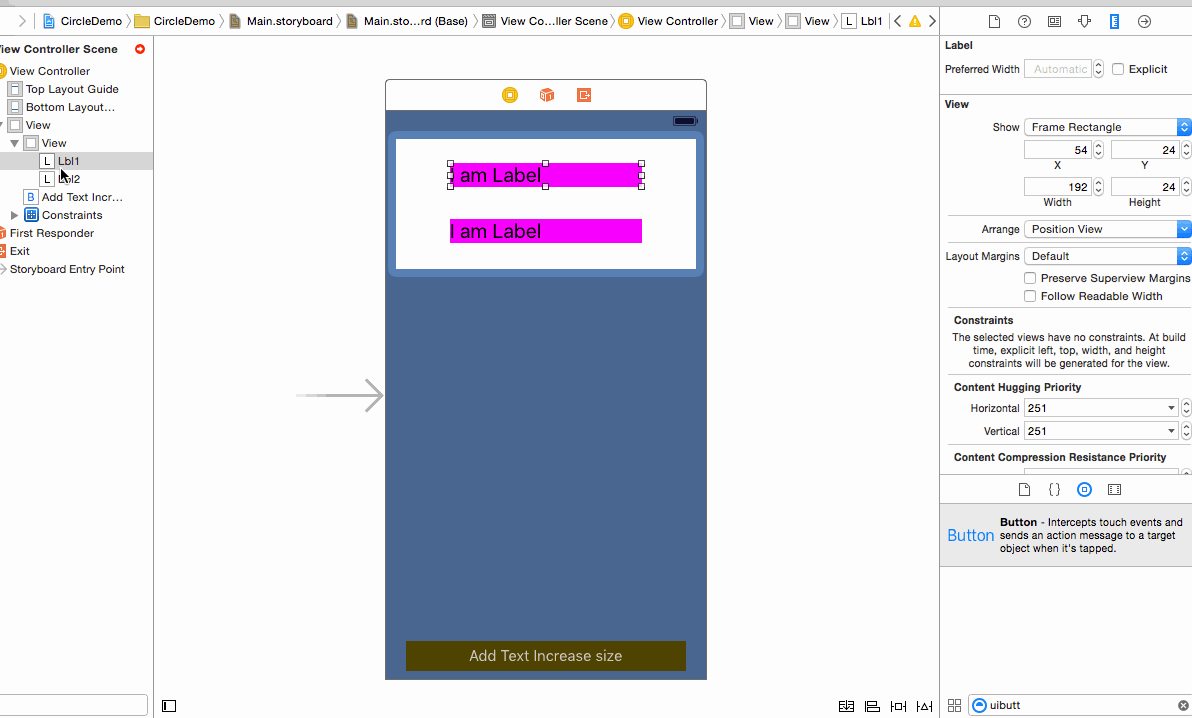
Step 3 :- Set constraints on Label 2
- Leading 2) Top 3) Trailing (From its superview)
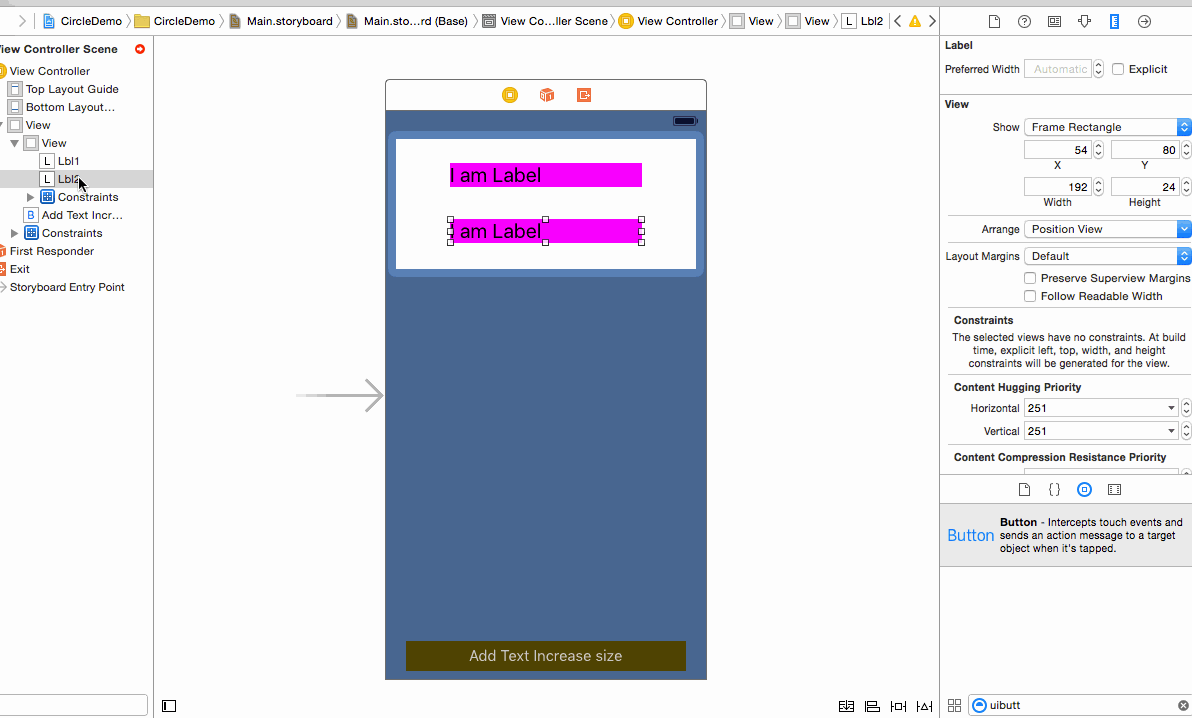
Step 4 :- Most tricky: give the UILabel a bottom constraint to the UIView.
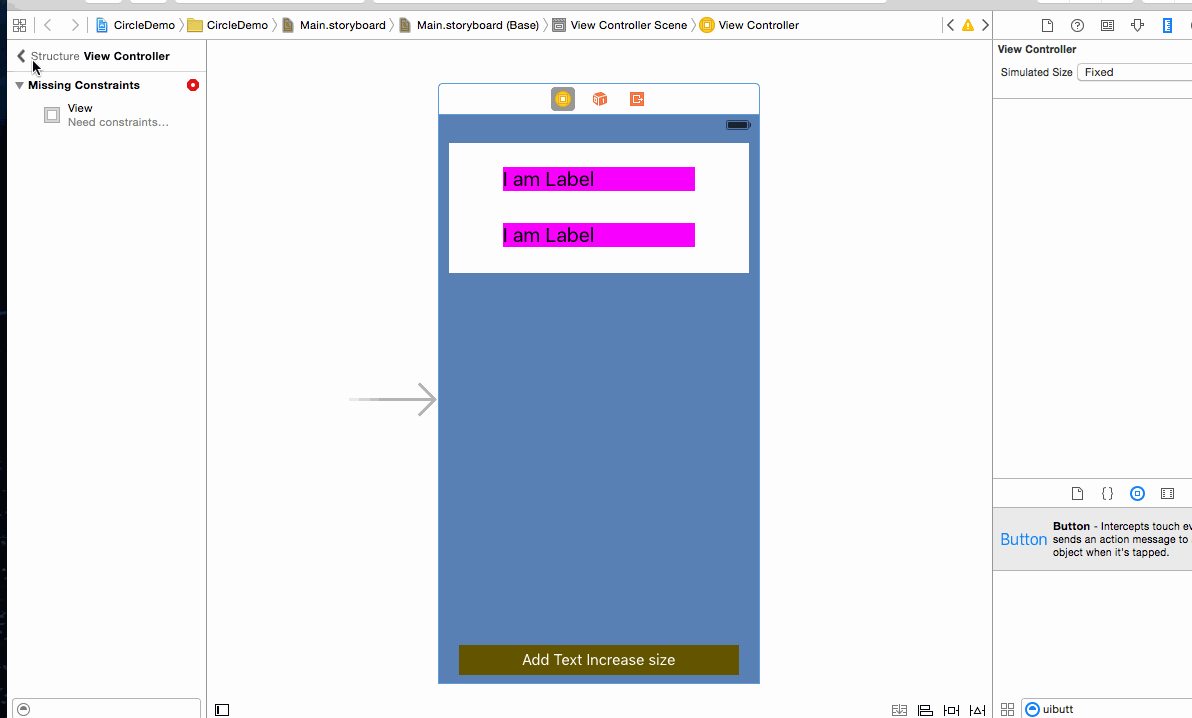
Step 5 :- (Optional) Set constraints on the UIButton
- Leading 2) Bottom 3) Trailing 4) Fixed Height (From mainview)
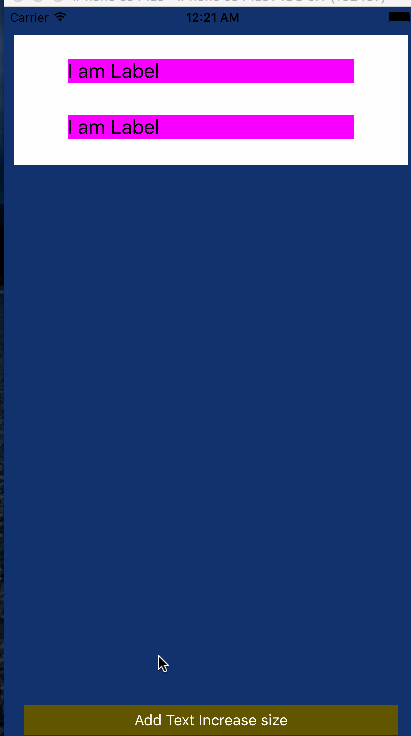
Output :-
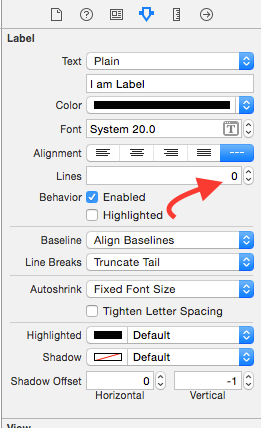
Note :- Make sure you have set Number of lines = 0 in the label property. A value of 0 means an unlimited number of lines.
I hope this info is enough to understand autoresizing a UIView according to a UILabel’s height and autoresizing a UILabel according to its text.
Found a mistake? Have a question or improvement idea?
Let me know.
Table Of Contents