Creating an image with BufferedImage class
suggest changeint width = 256; //in pixels
int height = 256; //in pixels
BufferedImage image = new BufferedImage(width, height, BufferedImage.TYPE_4BYTE_ABGR);
// TYPE_4BYTE_ABGR stores alpha and RGB. See the javadoc for other types.
Graphics g = image.createGraphics();
// draw as you would in paintComponent(Graphics g) in a UI application
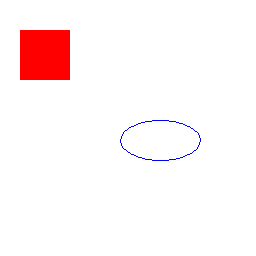
g.setColor(Color.RED);
g.fillRect(20, 30, 50, 50);
g.setColor(Color.BLUE);
g.drawOval(120, 120, 80, 40);
g.dispose(); //dispose graphics objects when they are no longer needed
// The image now has generated content. Draw it with Graphics.drawImage,
// or save it. ImageIO.write throws checked IOException.
ImageIO.write(image, "png", new File("myimage.png"));
Output:
Found a mistake? Have a question or improvement idea?
Let me know.
Table Of Contents