Using window.alert
suggest changeThe alert method displays a visual alert box on screen. The alert method parameter is displayed to the user in plain text:
window.alert(message);
Because window is the browser global object, you can also use the following shorthand:
alert(message);
So what does window.alert() do? Well, let’s take the following example:
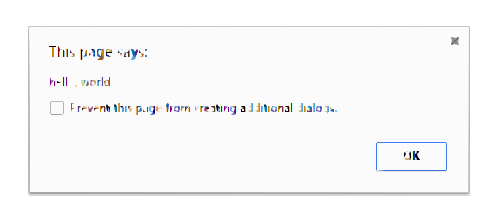
alert('hello, world');
In Chrome, that would produce a pop-up like this:
Notes
alertis a method of the browserwindowobject. In a page script it can also be called asalert()without writingwindow.
Unlike console.log, alert opens a modal dialog, and the code that called it waits until the dialog is dismissed. Traditionally this means that no other JavaScript code will execute until the alert is dismissed:
alert('Pause!');
console.log('Alert was dismissed');
However the specification actually allows other event-triggered code to continue to execute even though a modal dialog is still being shown. In such implementations, it is possible for other code to run while the modal dialog is being shown.
More information is on the Usage of alert page.
The use of alerts is usually discouraged in favour of other methods that do not block users from interacting with the page - in order to create a better user experience. Nevertheless, it can be useful for debugging.
Starting with Chrome 46.0, window.alert() is blocked inside an <iframe> unless its sandbox attribute has the value allow-modal.