Use PM2 as a process manager
suggest changePM2 lets you run your nodejs scripts forever. In the event that your application crashes, PM2 will also restart it for you.
Install PM2 globally to manage Node processes:
npm install pm2 -g
Navigate to the directory in which your nodejs script resides and run the following command each time you want to start a nodejs instance to be monitored by pm2:
pm2 start server.js --name "app1"
Useful commands for monitoring the process
-
List all nodejs instances managed by pm2
pm2 list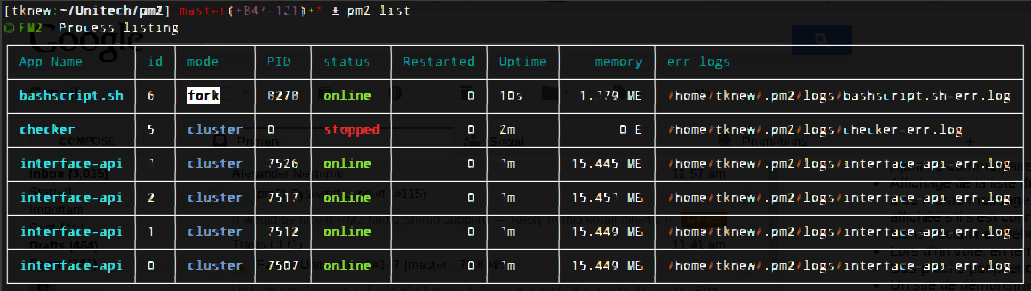
-
Stop a particular nodejs instance
pm2 stop <instance name> -
Delete a particular nodejs instance
pm2 delete <instance name> -
Restart a particular nodejs instance
pm2 restart <instance name> -
Monitoring all nodejs instances
pm2 monit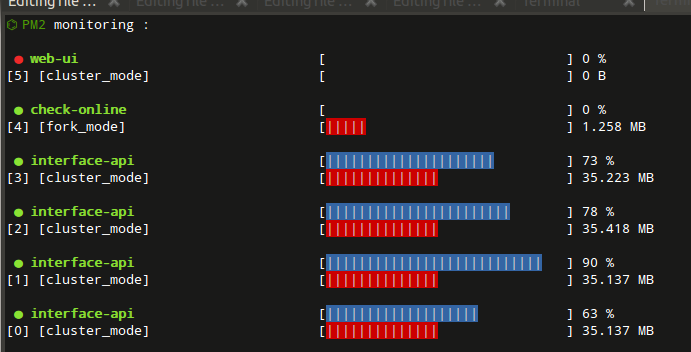
-
Stop pm2
pm2 kill -
reloadcan restart cluster-mode workers one by one so the app stays up. A single fork-mode process still stops and starts.restartkills the process and starts it again.pm2 reload <instance name> -
View logs
pm2 logs <instance_name>