Create a Category in Xcode
suggest changeCategories add functionality to a class without subclassing it or changing its original implementation.
For example, to add custom fonts, create a category on UIFont. Open your Xcode project, click File → New → File, and choose Objective-C file. Click Next, enter a category name such as “CustomFonts”, choose file type Category and class UIFont, then click Next and Create.
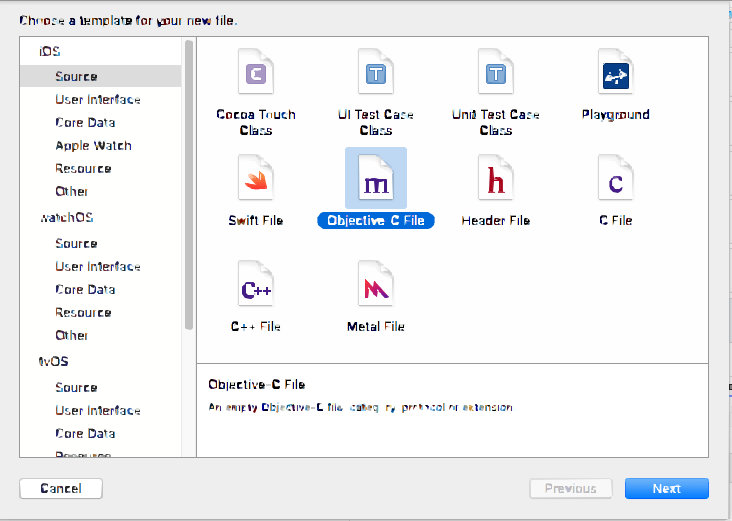
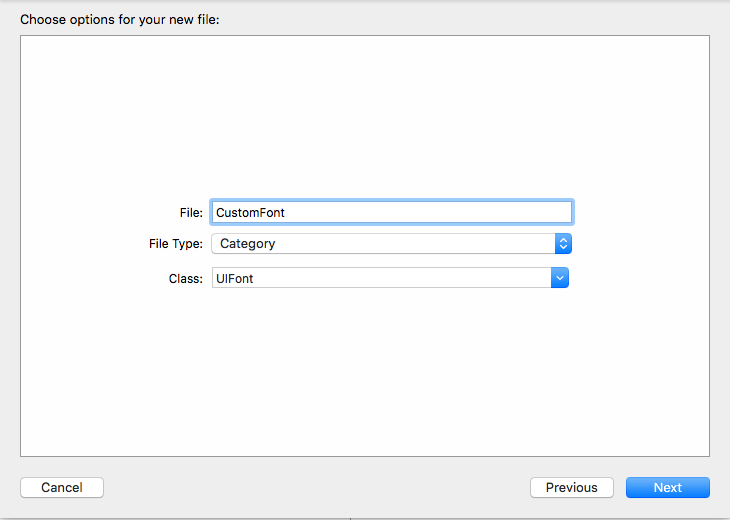
Declare the category method
Click “UIFont+CustomFonts.h” to view the new category’s header file. Add the following code to the interface to declare the method.
@interface UIFont (CustomFonts)

+(UIFont *)productSansRegularFontWithSize:(CGFloat)size;

@end
Implement the category method
Click “UIFont+CustomFonts.m” to view the category’s implementation file. Add the following method inside the @implementation to return the ProductSansRegular font.
+(UIFont *)productSansRegularFontWithSize:(CGFloat)size{

    return [UIFont fontWithName:@"ProductSans-Regular" size:size];

}
Import your category
#import "UIFont+CustomFonts.h"
Now set the Label font
[self.label setFont:[UIFont productSansRegularFontWithSize:16.0]];