Usage of inner progress bar
suggest change1..10 | foreach-object {
$fileName = "file_name_$_.txt"
Write-Progress -Activity "Copying files" -Status "$($_*10) %" -Id 1 -PercentComplete ($_*10) -CurrentOperation "Copying file $fileName"
1..100 | foreach-object {
Write-Progress -Activity "Copying contents of the file $fileName" -Status "$_ %" -Id 2 -ParentId 1 -PercentComplete $_ -CurrentOperation "Copying line $_"
Start-Sleep -Milliseconds 20 # stand-in for the work, for example copying a line
}
Start-Sleep -Milliseconds 500 # stand-in for the work, for example searching for a file
}
Start-Sleep stands in for the work. You can run the example as it is, then replace those lines. -Id 2 -ParentId 1 draws the inner bar under the outer bar.
This is how the result looks in the PowerShell console:
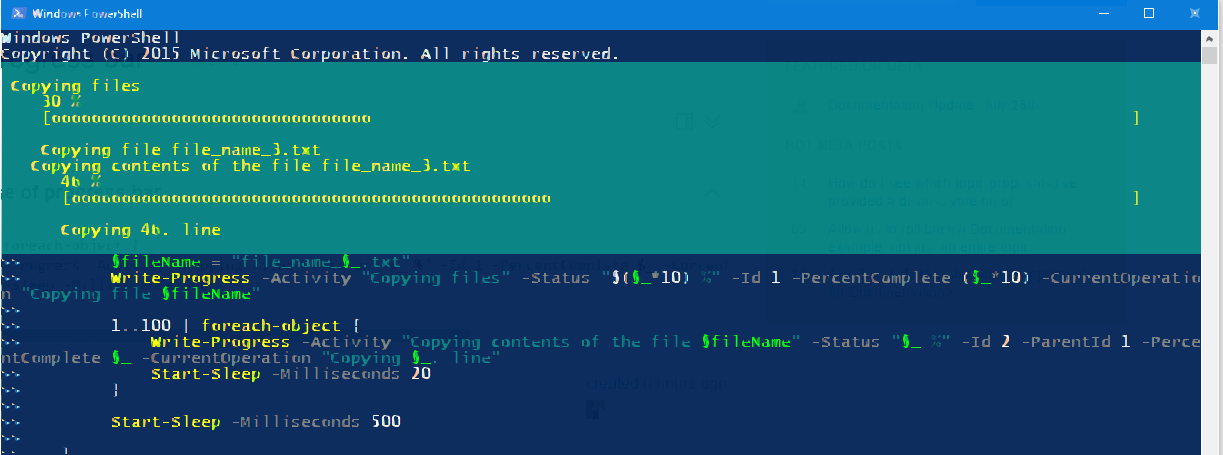
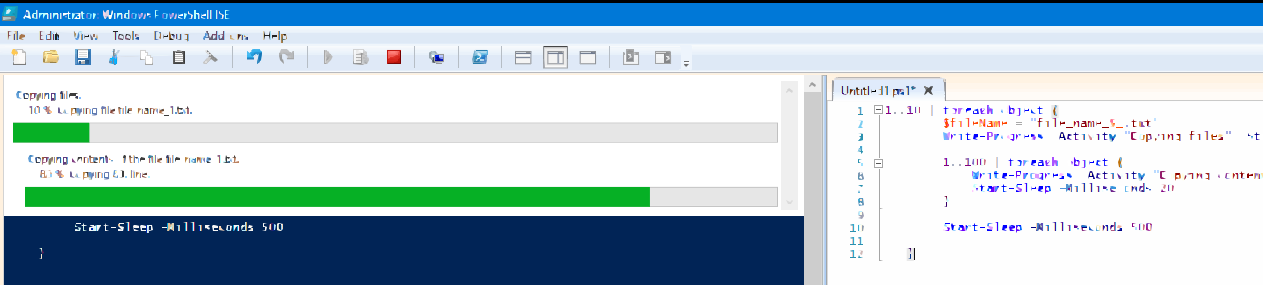
This is how the result looks in the Windows PowerShell ISE:
Found a mistake? Have a question or improvement idea?
Let me know.
Table Of Contents