Hello world application
suggest changeConfiguration
First, create a file called Package.swift. It tells the Swift compiler which libraries to use. This example uses GitHub repositories for Kitura and HeliumLogger. The manifest below names the project kitura-helloworld and lists those dependency URLs. .Package(url:majorVersion:minor:) is the Swift 3 manifest syntax.
import PackageDescription
let package = Package(
    name: "kitura-helloworld",
        dependencies: [
            .Package(url: "https://github.com/IBM-Swift/HeliumLogger.git", majorVersion: 1, minor: 6),
            .Package(url: "https://github.com/IBM-Swift/Kitura.git", majorVersion: 1, minor: 6) ] )
Next, create a folder called Sources. Inside, create a file called main.swift. This is the file that we implement all the logic for this application. Enter the following code into this main file.
Import libraries and enable logging
import Kitura
import Foundation
import HeliumLogger

HeliumLogger.use()
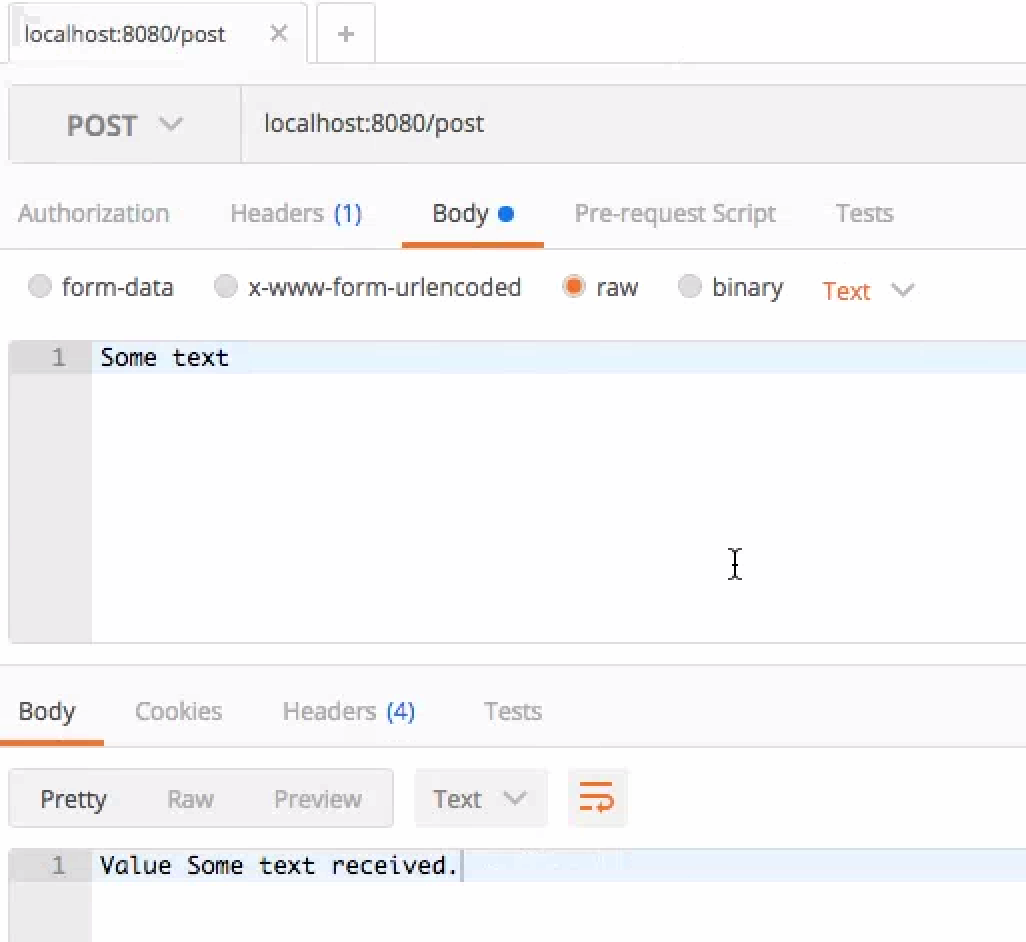
Adding a router. Router specifies a path, type, etc of the HTTP request. This adds a GET handler that sends Hello world, then a POST handler that reads plain text from the request and sends it back.
let router = Router()

router.get("/get") {
    request, response, next in
    response.send("Hello, World!")
    next()
}

router.post("/post") {
    request, response, next in
    var string: String?
    do{
        string = try request.readString()

    } catch let error {
        string = error.localizedDescription
    }
    response.send("Value \(string!) received.")
    next()
}
Specify a port to run the service
let port = 8080
Bind the router and port together and add them as HTTP service
Kitura.addHTTPServer(onPort: port, with: router)
Kitura.run()
Execute
From the folder that contains Package.swift and the Sources folder, run:
swift build
The Swift package manager downloads the dependencies and compiles them with main.swift. The executable is placed here. Run it to start the server.
.build/debug/kitura-helloworld
Validate
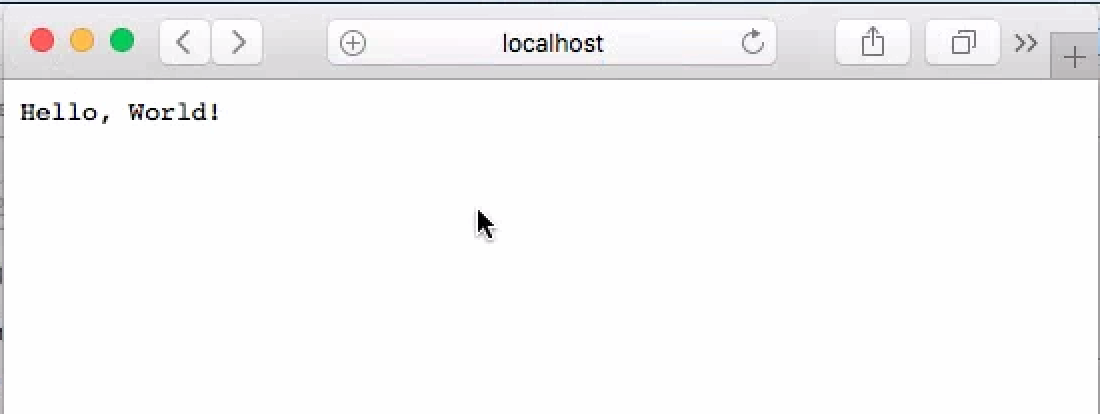
Open a browser, type in localhost:8080/get as url and hit enter. The hello world page should come out.
With an HTTP client, post plain text to localhost:8080/post. The response includes the text you sent.