Console
suggest changeIntroduction
A browser’s debugging console, or web console, is used to inspect errors, follow execution, and log data. That API is the console object. Node.js provides a compatible console as well.
Syntax
void console.log(obj1 [, obj2, …, objN]);void console.log(msg [, sub1, …, subN]);
Parameters
| Parameter | Description |
|---|---|
| obj1 … objN | A list of JavaScript objects whose string representations are outputted in the console |
| msg | A JavaScript string containing zero or more substitution strings. |
| sub1 … subN | JavaScript objects with which to replace substitution strings within msg. |
Remarks
The console methods can be listed with console.dir(console). Besides console.memory, Chromium has historically shown the following. markTimeline, timeline, and timelineEnd were non-standard and should not be used:
- assert
- clear
- count
- debug
- dir
- dirxml
- error
- group
- groupCollapsed
- groupEnd
- info
- log
- markTimeline
- profile
- profileEnd
- table
- time
- timeEnd
- timeStamp
- timeline
- timelineEnd
- trace
- warn
Opening the Console
In most current browsers, the JavaScript Console has been integrated as a tab within Developer Tools. The shortcut keys listed below will open Developer Tools, it might be necessary to switch to the right tab after that.
Chrome
Opening the “Console” panel of Chrome’s DevTools:
-
Windows / Linux: any of the following options:
Ctrl + Shift + JCtrl + Shift + I,then click on the “Web Console” tab or pressESCto toggle the console on and offF12, then click on the “Console” tab or pressESCto toggle the console on and off
-
Mac OS:
Cmd + Opt + J
Firefox
Opening the “Console” panel in Firefox’s Developer Tools:
-
Windows / Linux: any of the following options
Ctrl + Shift + KCtrl + Shift + I, then click on the “Web Console” tab or pressESCto toggle the console on and offF12, then click on the “Web Console” tab or pressESCto toggle the console on and off
-
Mac OS:
Cmd + Opt + K
Edge and Internet Explorer
Opening the “Console” panel in the F12 Developer Tools:
- F12, then click on the “Console” tab
Safari
Opening the “Console” panel in Safari’s Web Inspector you must first enable the develop menu in Safari’s Preferences
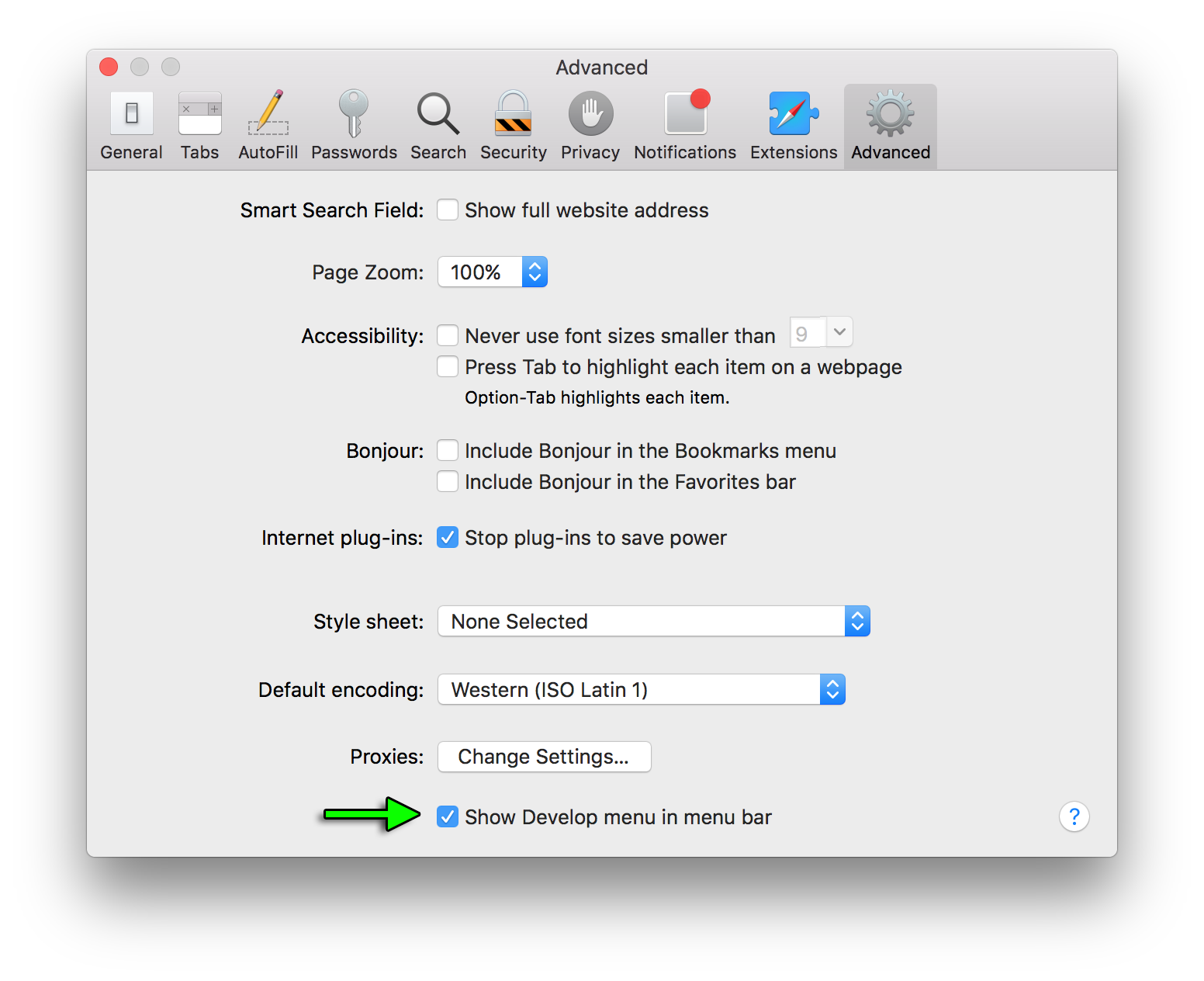
Then choose Develop → Show JavaScript Console, or press Option-Command-C.
Opera
Opening the “Console” in opera:
- Ctrl + Shift + I,then click on the “Console” tab
Compatibility
When using or emulating Internet Explorer 8 or earlier versions (e.g. through Compatibility View / Enterprise Mode) the console will only be defined when the Developer Tools are active, so console.log() statements can cause an exception and prevent code from executing. To mitigate this, you can check to see if the console is available before you log:
if (typeof window.console !== 'undefined')
{
   console.log("Hello World");
}
Or at the start of your script you can identify if the console is available and if not, define a null function to catch all of your references and prevent exceptions.
if (!window.console)
{
    // Sloppy classic script only. A strict script or module cannot create this implicit global.
    console = {log: function() {}};
}
Note this second example will stop all console logs even if the developer window has been opened.
Using this second example will preclude use of other functions such as console.dir(obj) unless that is specifically added.
Printing to a browser's debugging console
Including a stack trace when logging - console.trace
Tabulating values - console.table
Debugging with assertions - console.assert
Clearing the console - console.clear
Displaying objects and XML interactively - console.dir, console.dirxml