Using console.log
suggest changeIntroduction
Modern browsers, Node, and most other JavaScript environments can write messages to a console. The most common method is console.log().
In a browser environment, the console.log() function is predominantly used for debugging purposes.
Getting Started
Open the Console in your browser, type the following, and press Enter:
console.log("Hello, World!");
This will log the following to the console:
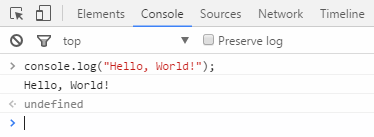
In the example above, the console.log() function prints Hello, World! to the console and returns undefined (shown above in the console output window). This is because console.log() has no explicit return value.
Logging variables
console.log() can be used to log variables of any kind; not only strings. Just pass in the variable that you want to be displayed in the console, for example:
const foo = "bar";
console.log(foo);
This will log the following to the console:
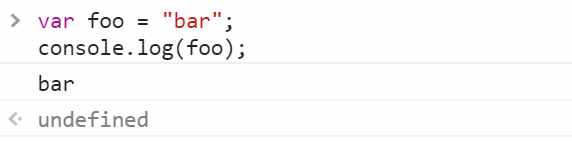
If you want to log two or more values, separate them with commas. The console shows those arguments separately. Typical developer tools put a space between them:
const thisVar = 'first value';
const thatVar = 'second value';
console.log("thisVar:", thisVar, "and thatVar:", thatVar);
This will log the following to the console:

Placeholders
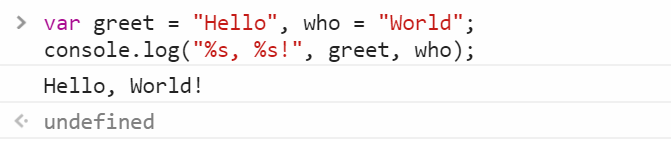
You can use console.log() in combination with placeholders:
const greet = "Hello", who = "World";
console.log("%s, %s!", greet, who);
This will log the following to the console:
Logging Objects
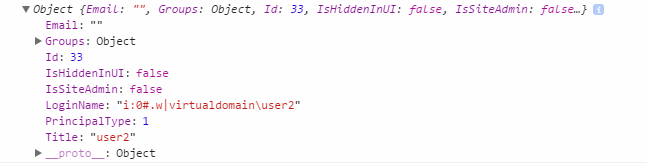
Below we see the result of logging an object. This is often useful for logging JSON responses from API calls.
console.log({
    'Email': '',
    'Groups': {},
    'Id': 33,
    'IsHiddenInUI': false,
    'IsSiteAdmin': false,
    'LoginName': 'i:0#.w|virtualdomain\\user2',
    'PrincipalType': 1,
    'Title': 'user2'
});
This will log the following to the console:
Logging HTML elements
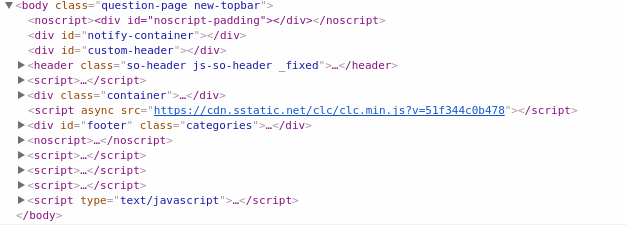
You have the ability to log any element which exists within the DOM. In this case we log the body element:
console.log(document.body);
This will log the following to the console:
End Note
For more information on the capabilities of the console, see the Console topic.